
Muqeem Login 2026: Guide to Saudi Arabia Residency Portal Access
Managing residency in Saudi Arabia feels stressful. Expats, employers, and businesses need fast solutions. Saudi Vision 2030 pushes digital services like Muqeem to simplify life.
Muqeem means “resident” in Arabic. Companies use this official portal to handle Iqama and Jawazat transactions online. You view employee data and complete tasks instantly from anywhere. The platform recorded over 120 million interactions and offers more than 34 detailed reports.
How to sign in to Muqeem on the official portal
Independent guide: muqeemsa.com is not the Muqeem portal and is not affiliated with the Saudi government. Never type your Muqeem username or password on this website.
- Open a new browser tab and type muqeem.sa yourself, or use the button below.
- Before entering anything, check that the address bar shows muqeem.sa with a padlock.
- Choose the sign-in option shown on the official page and follow its on-screen steps. Sign-in options can change, so rely on what the portal shows.
- If you cannot sign in, use the help and contact options on the official portal or the Jawazat support channels, not a third-party site.
This guide stands out as the most complete resource. It covers Muqeem login steps, full registration, troubleshooting, and comparisons with Absher and Qiwa. You gain clear actions that save time and avoid mistakes. Check your Saudi visa easily with Muqeem Visa Status Check Without Login.
:Key benefits include
.Issue exit/re-entry visas quickly
.Print reports without office visits
.Stay compliant with Saudi rules
Muqeem Login vs. Other Portals: Absher, Qiwa, and More
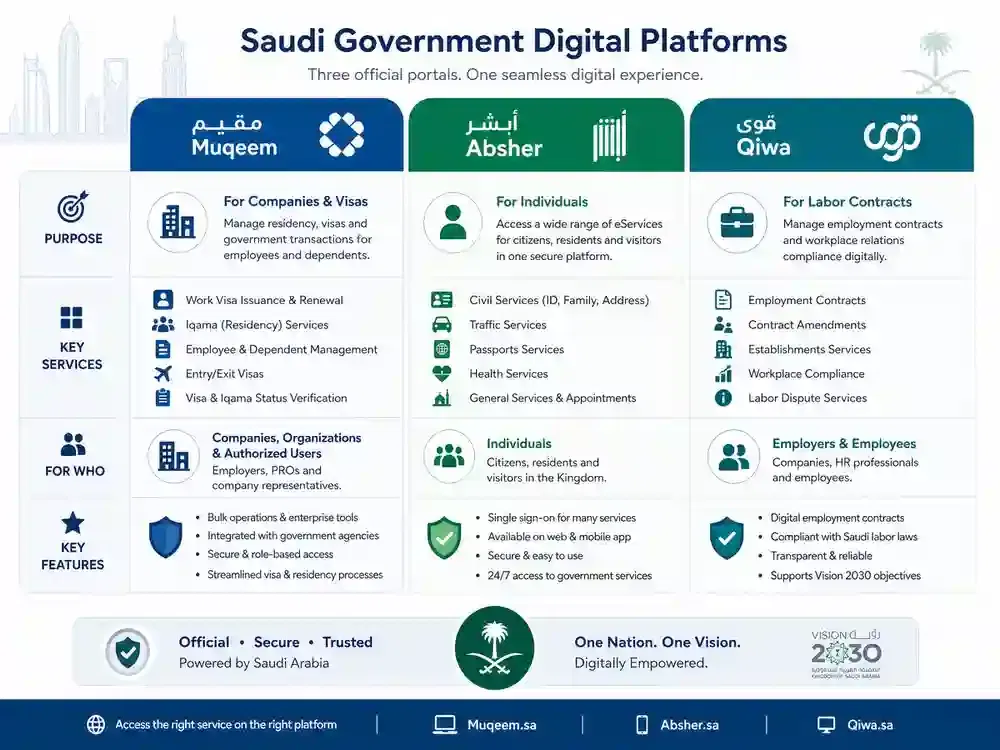
Saudi Arabia’s digital transformation has introduced several government platforms that serve different purposes. Many users confuse Muqeem, Absher, and Qiwa because all three deal with expatriates and employment-related services. Understanding the role of each platform helps businesses and individuals avoid delays and compliance issues.
Muqeem vs. Absher vs. Qiwa Comparison Table
| Feature | Muqeem Portal | Absher | Qiwa |
|---|---|---|---|
| Primary Users | Companies, HR teams, PROs, GROs | Individual citizens and residents | Employers and employees |
| Main Purpose | Residency and visa management | Personal government services | Labor and employment management |
| Managed By | Jawazat via Elm | Ministry of Interior | Ministry of Human Resources & Social Development |
| Login Type | Establishment account | Individual account | Establishment and employee accounts |
| Iqama Services | Yes | Limited viewing | No |
| Exit/Re-Entry Visas | Yes | View status only | No |
| Final Exit Services | Yes | Status tracking | No |
| Employment Contracts | No | No | Yes |
| Saudization Compliance | No | No | Yes |
| Employee Transfers | Limited | No | Yes |
| Workforce Reports | Yes | No | Yes |
When to Use Each Platform
Use Muqeem when:
Managing expatriate employees.
Issuing exit/re-entry visas.
Checking visa validity.
Generating residency reports.
Monitoring Iqama status.
Use Absher when:
Renewing personal documents.
Checking traffic violations.
Managing personal government services.
Accessing individual passport services.
Use Qiwa when:
Managing employment contracts.
Processing employee transfers.
Monitoring Saudization compliance.
Handling labor-related services.
How These Platforms Work Together
For expatriate employees, Qiwa manages the employment relationship while Muqeem manages immigration and residency status. Employees often use Absher for personal government services. Together these platforms create a complete digital ecosystem for workforce management in Saudi Arabia.
Common Confusion Points
Muqeem is for employers, not individual employees.
Absher cannot replace Muqeem for company visa processing.
Qiwa manages labor relationships, not residency permits.
Visa validity checks can be performed without a full Muqeem subscription through designated verification services.
Companies often need both Muqeem and Qiwa accounts for full compliance.
Muqeem Portal Features and Services
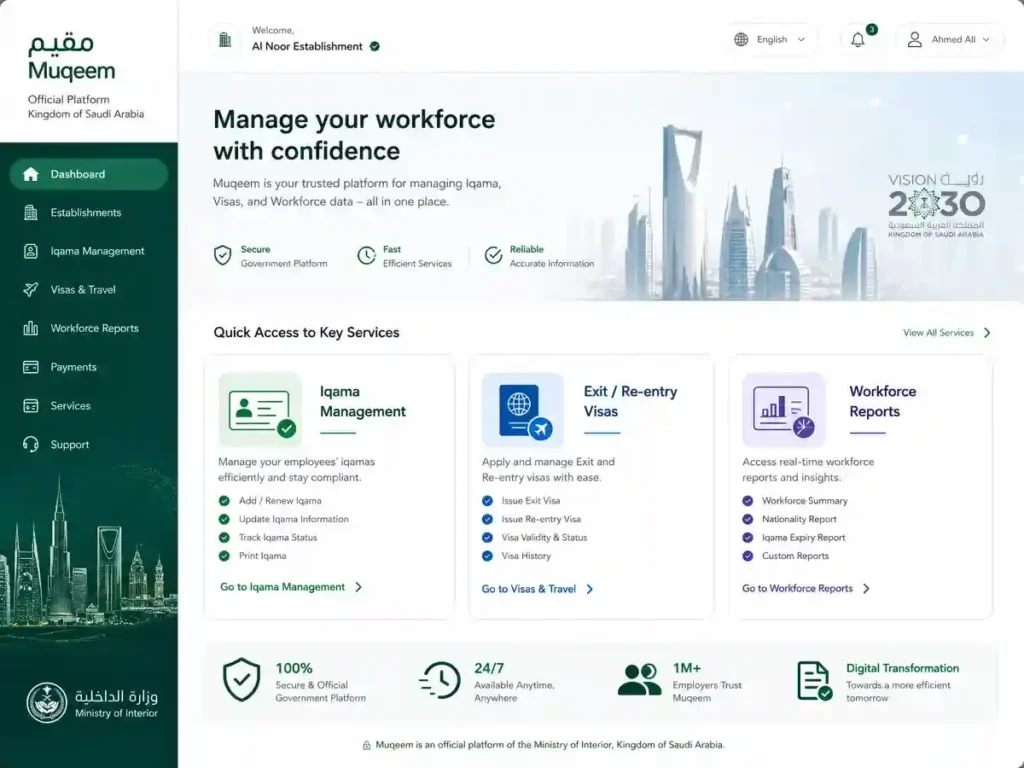
Muqeem Portal provides a comprehensive suite of services designed to help organizations manage expatriate employees efficiently.
Core Muqeem KSA Services
Iqama Management
View employee residency records.
Monitor expiration dates.
Track employee residency status.
Generate residency reports.
Exit and Re-Entry Visas
Issue single or multiple exit/re-entry visas.
Extend existing permits.
Track employee travel history.
Verify visa validity.
Final Exit Services
Process final exit requests.
Verify employee records before departure.
Generate supporting documents.
Reports and Analytics
Employee residency reports.
Visa expiration reports.
Travel movement reports.
Workforce compliance reports.
Visa Validity Verification
Check visa status.
Verify exit/re-entry permits.
Confirm final exit information.
Validate residency details.
Muqeem Subscription Packages
| Feature | Basic (أساسي) | Developed (مطور) | Professional (احترافي) |
|---|---|---|---|
| Employee Data Access | ✓ | ✓ | ✓ |
| Visa Management | ✓ | ✓ | ✓ |
| Exit/Re-Entry Services | ✓ | ✓ | ✓ |
| Standard Reports | ✓ | ✓ | ✓ |
| Advanced Reports | ✗ | ✓ | ✓ |
| Bulk Processing | ✗ | ✓ | ✓ |
| API Integration | ✗ | Limited | ✓ |
| Large Workforce Support | ✗ | ✓ | ✓ |
| Enterprise Features | ✗ | ✗ | ✓ |
| Best For | Small Companies | Medium Businesses | Large Enterprises |
Advanced Features
API Integration
Large organizations can connect Muqeem with ERP and HR systems for automated employee management.
Makkah Entry Permits
Eligible organizations can process permit-related transactions for employees working in regulated zones.
Real-Time Data Synchronization
Information updates directly from government systems, helping businesses maintain accurate records.
Digital Residency Verification
Electronic verification services simplify document validation and reporting processes.
Benefits for HR Teams and PROs
Reduced manual paperwork.
Faster visa processing.
Better compliance management.
Automated employee tracking.
Improved workforce planning.
Reduced risk of penalties.
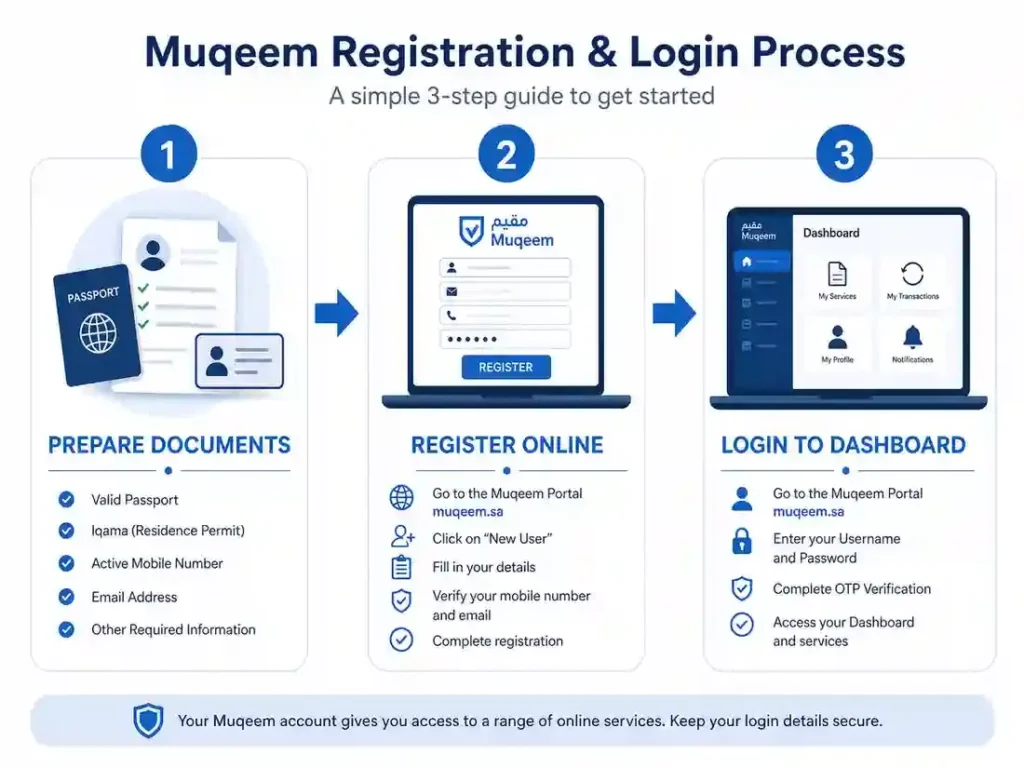
How to Register for Muqeem Portal (Step-by-Step)
Organizations must complete registration before accessing Muqeem services.
Prerequisites
Before registering, prepare:
Valid Commercial Registration (CR).
Active Chamber of Commerce membership.
Establishment labor file.
Authorized signatory information.
Active mobile number.
Official company email address.
Company contact details.
Approval Process
After submission:
Data verification begins.
Registration undergoes review.
Account activation is completed.
Login credentials become active.
Activation Timeline
Typical processing times range from a few hours to several business days depending on verification requirements.
Common Causes of Delay
Incorrect CR information.
Expired Chamber membership.
Signatory verification issues.
Missing establishment records.
Contact information mismatches.
Muqeem Login Process (Step-by-Step)
After activation, authorized users can access Muqeem services.
Official Login URLs
Main Portal: muqeem.sa
Visa Verification Services: vv.muqeem.sa
Login Steps
Step 1
Open the official Muqeem portal.
Step 2
Enter your username.
Step 3
Enter your password.
Step 4
Complete verification requirements if requested.
Step 5
Access the dashboard and available services.
Forgot Username or Password
If login credentials are lost:
Select “Forgot Password.”
Verify account ownership.
Follow reset instructions.
Create a new secure password.
Mobile Access
Most users access Muqeem through the web portal because it provides complete functionality and administrative controls.
Security Best Practices
Enable multi-factor authentication if available.
Use strong passwords.
Restrict account access to authorized personnel.
Avoid sharing credentials.
Access only official government websites.
How to Perform Key Actions After Login
Check Iqama Status
Open employee services.
Search by employee information.
View residency details.
Review expiration dates.
Check Exit/Re-Entry Validity
Open visa services.
Search employee records.
Review visa status.
Confirm validity dates.
Issue Exit/Re-Entry Visas
Select visa services.
Choose employee.
Select visa type.
Confirm details.
Submit request.
Generate Reports
Open reports section.
Select report category.
Define filters.
Generate report.
Download PDF or Excel output.
Employee Data Management
Update employee information.
Review residency records.
Monitor compliance status.
Verify workforce data.
Makkah Permit Related Services
Eligible establishments can manage permit-related transactions for authorized employees through supported services.
Common Muqeem Login Issues and Troubleshooting
Account Not Activated
Cause: Registration still under review.
Solution:
Wait for approval.
Verify registration status.
Contact support if delays continue.
Invalid Username or Password
Cause: Incorrect login credentials.
Solution:
Reset password.
Verify username.
Clear browser cache.
Access Blocked
Cause: Multiple failed login attempts.
Solution:
Wait for temporary lock removal.
Reset credentials.
Contact support.
Data Mismatch Errors
Cause: Information differs from official records.
Solution:
Verify company details.
Update records.
Resubmit information.
Compliance Restrictions
Some services may be restricted because of:
Expired licenses.
Outstanding compliance requirements.
Government restrictions.
Workforce-related violations.
Support Options
Users can contact:
Elm support channels.
Jawazat support services.
Official Muqeem help resources.
Advanced Tips and Best Practices
Integrate Muqeem With HR Systems
Organizations can streamline operations by integrating Muqeem data with HR and ERP platforms.
Delegate Access Securely
Provide separate user accounts for:
HR Managers.
PROs.
GROs.
Compliance Officers.
Conduct Monthly Compliance Reviews
Review:
Iqama expirations.
Visa expirations.
Employee status changes.
Travel activity.
Annual Compliance Checklist
Verify company registration.
Review user permissions.
Audit employee records.
Update contact information.
Renew required subscriptions.
Protect Against Fraud
Use official portals only.
Avoid unofficial login pages.
Train staff on phishing awareness.
Monitor account activity.
Future Developments
Expected improvements include:
Expanded automation.
Enhanced reporting tools.
Greater system integrations.
Additional digital verification services.
Improved user experience.
Frequently Asked Questions
Can individuals login to Muqeem?
Generally, Muqeem is designed for establishments and authorized company representatives.
What is Muqeem Portal used for?
It is used to manage expatriate residency, visas, employee records, and compliance services.
How do I check exit re-entry visa validity?
You can use Muqeem’s visa verification services through the designated verification portal.
Is Muqeem different from Absher?
Yes. Muqeem is for employers while Absher is designed for individual users.
Can I check visa validity without logging in?
Certain verification services are available without a full company login.
What documents are required for Muqeem registration?
Commercial Registration, company information, authorized signatory details, and active contact information are commonly required.
How long does registration take?
Processing time varies based on verification and establishment requirements.
Can small businesses use Muqeem?
Yes. Muqeem supports organizations of different sizes.
Is Muqeem connected to Qiwa?
The platforms serve different functions but support broader workforce management processes.
What happens if an Iqama expires?
Employers should take prompt action to maintain compliance and avoid penalties.
Can multiple users access one company account?
Organizations can manage access according to their internal policies.
Is Muqeem available in English?
Yes. The platform supports Arabic and English interfaces.
Can Muqeem generate reports?
Yes. Various employee and compliance reports are available.
How do I recover my password?
Use the password recovery option available on the login page.
Is Muqeem required for expatriate workforce management?
For most establishments employing expatriates, Muqeem is a key platform for residency and visa administration.
Related guides
- Visit the central Muqeem guides hub
- تسجيل الدخول إلى منصة مقيم
- fixing the Muqeem login 404 error
- how to register a Muqeem account
- Muqeem portal guide