
What Is Muqeem? Muqeem Platform Guide 2026: Services, Registration & Updates
Managing expatriate employees in Saudi Arabia involves navigating complex residency and visa regulations. The Muqeem platform streamlines these processes, offering businesses a comprehensive digital solution for visa services, residency management, and employee record keeping .

This guide provides an in-depth look at Muqeem, covering everything from login and registration to its key features, subscription packages, and how it compares to other government services like Absher.
What is Muqeem? A Digital Gateway for Saudi Businesses
Muqeem is an essential digital platform designed for Saudi establishments to manage expatriate employees’ residency and visa services electronically. It acts as a secure online bridge, connecting businesses directly with the Saudi government’s immigration data and services, primarily through the General Directorate of Passports (Jawazat) .
Need to verify your visa validity before travel? Read our complete guide on Muqeem Exit Re Entry Visa Check 2026 to check visa status, return-before date, expiry details, and travel eligibility using your Iqama or passport number.

This platform empowers organizations to handle critical immigration-related tasks without frequent visits to government offices, significantly reducing paperwork and accelerating routine transactions. HR teams, business owners, and government relations officers (GROs) extensively rely on Muqeem for efficient foreign employee management.
Purpose of Muqeem
The primary goal of Muqeem is to simplify interactions between businesses and Saudi immigration authorities. It enables organizations to:
- Manage expatriate records
- Issue and cancel various types of muqeem visa
- Verify residency information (Iqama)
- Monitor employee status and travel permissions
- Generate operational reports for compliance and planning
- Complete government transactions online
These capabilities are crucial for saving time, improving data accuracy, and ensuring compliance across HR and administrative departments.
Who Can Use Muqeem?
Muqeem is specifically tailored for organizations that employ foreign workers in Saudi Arabia. Its primary users include:
Business owners and corporate groups
- HR managers and departments
- Government relations officers (GROs)
- Recruitment agencies
- Establishments with foreign employees
It’s important to note that Muqeem focuses on employer-related immigration management. Individual residents typically access personal government services through other platforms, such as Absher .
Muqeem and Saudi Jawazat: A Seamless Integration
Muqeem operates in close coordination with the Saudi General Directorate of Passports (Jawazat), the authority responsible for residency permits, immigration records, and visa services across Saudi Arabia. This integration provides organizations with electronic access to many of Jawazat’s services, allowing for faster processing of employee-related transactions and ensuring adherence to Saudi regulations with SAUDI ARABIA E-VISA CHECK.
What Does Muqeem Mean?
Muqeem (مقيم) is the Arabic word for “resident”. In Saudi Arabia it is also the name of the Muqeem portal (muqeem.sa), operated by Elm, which lets employers handle passport (Jawazat) transactions for their expatriate employees online, such as exit/re-entry visas, final exit visas, Iqama renewal and resident reports.
Individual residents don’t log in to Muqeem themselves; their employer does. Personal services are usually available through Absher. For sign-in steps, see our Muqeem login guide, and for fees and the SADAD payment code, see Muqeem fees and payment.
Key Features of the Muqeem Platform
Muqeem consolidates a wide array of immigration and residency services into a single, user-friendly platform, facilitating efficient expatriate workforce management.
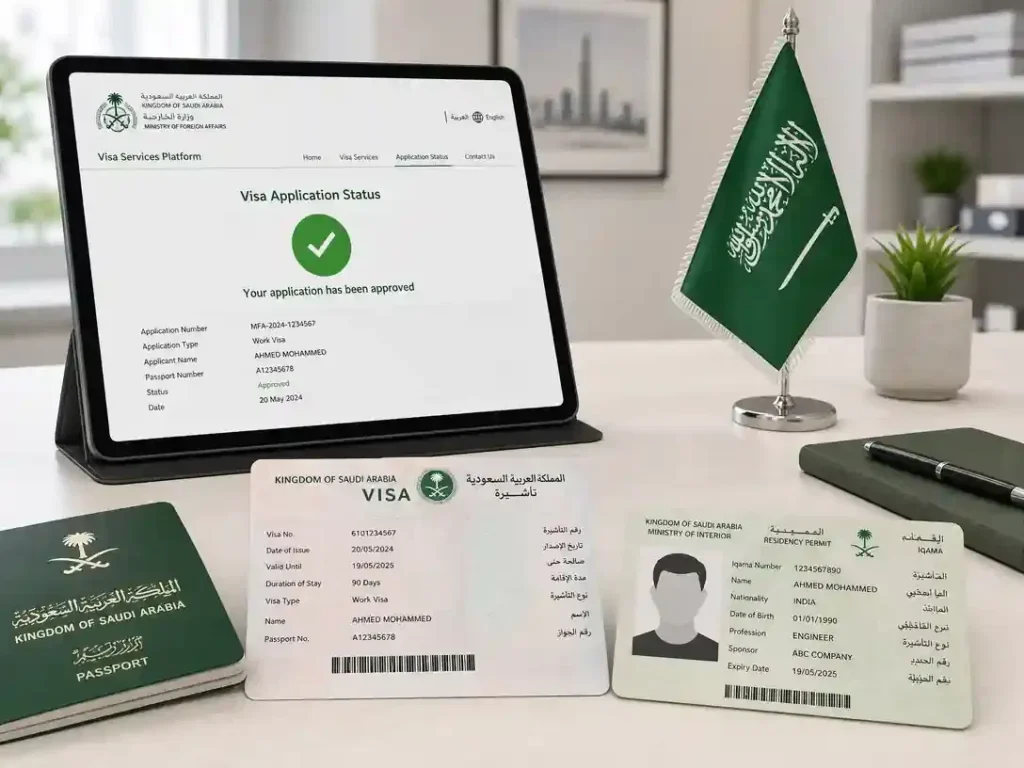
1. Visa Management Services
One of Muqeem’s core functionalities is comprehensive visa management. Organizations can:
- Issue Exit Re-Entry Visas: For employees traveling outside Saudi Arabia and returning.
- Issue Final Exit Visas: For employees leaving the Kingdom permanently.
- Cancel eligible visas: As needed due to employment changes.
- Verify visa validity and review visa history.
- Monitor visa expiration dates to prevent overstays.
2. Residency (Iqama) Services
Muqeem provides critical access to residency information and Iqama management:
- Verify residency details and review Iqama information.
- Monitor residency validity and track employee status changes.
- Access comprehensive immigration records.
- Effective residency management is crucial for workforce stability and legal compliance.
3. Employee Information Access
Employers gain real-time access to accurate employee data, which is essential for informed decision-making. Authorized users can view:
- Employee profiles and personal details.
- Residency and Iqama information.
- Passport details and visa records.
- Status updates related to immigration.
4. Reports and Analytics
Muqeem’s robust reporting tools offer valuable insights into workforce data, enabling better planning and auditing. Users can generate reports on:
- Employee records and demographics.
- Residency status and Iqama validity.
- Visa activity and travel history.
- Overall workforce information and compliance monitoring.
5. Electronic Government Transactions
The platform digitizes numerous government-related procedures, allowing organizations to complete services online without physical visits to government offices. This electronic processing significantly reduces paperwork, shortens transaction times, and improves record accuracy.
6. Business Compliance Tools
Maintaining compliance with Saudi immigration and residency regulations is paramount. Muqeem assists organizations by:
- Monitoring visa and Iqama validity.
- Tracking residency expiration dates.
- Verifying employee records and maintaining accurate documentation.
- Reducing compliance risks and avoiding administrative penalties.
How to Log In to Muqeem
Muqeem is used by employers: an authorised company user signs in at muqeem.sa with the establishment username and password and a verification code, or through the National Single Sign-On (Nafath). Step-by-step instructions and fixes for sign-in problems are in our Muqeem login guide.
How to Register on Muqeem
Organizations must register to access Muqeem services. This process establishes a secure connection between the establishment and Saudi immigration systems.
Eligibility Requirements
Muqeem is designed for organizations employing expatriate workers in Saudi Arabia, including:
- Private companies and corporate groups
- Recruitment agencies
- Establishments with foreign employees
- Government-approved organizations
Required Documents for Registration
Registration requirements may vary, but commonly requested information includes:
- Commercial Registration (CR) number
- Establishment details
- Authorized representative information
- Contact information and National address details
- Identification documents
- Subscription information
Registration Steps
- Visit the official Muqeem portal.
- Select the registration option.
- Enter establishment information, including the CR number.
- Provide contact details for the authorized representative.
- Select a subscription package that suits your organization’s needs.
- Submit the application and complete payment if required.
- Await account approval and activation.
Common Registration Issues
Applicants may encounter delays due to:
- Incorrect company information or missing documentation
- Payment verification issues
- Invalid contact details or Commercial Registration mismatch
- Incomplete application forms
Muqeem Subscription Packages
Muqeem offers various subscription options tailored to different business needs. Organizations should select a package based on their workforce size, service requirements, and operational complexity.
Basic Package
The Basic Package is ideal for small and medium-sized establishments with straightforward immigration management needs. Benefits typically include:
- Access to core visa services
- Employee information management
- Residency verification
- Standard reports
- Government transaction access
Professional Package
The Professional Package is designed for organizations requiring advanced functionality and greater administrative control. Features often include:
- Expanded service access and enhanced reporting
- Additional user capabilities and improved management tools
- Greater operational flexibility for handling larger expatriate workforces
Enterprise Features
Large organizations with complex operations across multiple departments or locations often require Enterprise-level solutions, which may include:
- Multi-user management and high-volume transaction support
- Advanced reporting tools and integration capabilities
- Centralized workforce oversight and enhanced administrative controls
Package Comparison Table
| Feature | Basic Package | Professional Package | Enterprise Solutions |
| Visa Services | ✓ | ✓ | ✓ |
| Employee Records | ✓ | ✓ | ✓ |
| Standard Reports | ✓ | ✓ | ✓ |
| Advanced Reports | — | ✓ | ✓ |
| Multiple User Access | Limited | Enhanced | Extensive |
| Workforce Management | Basic | Advanced | Comprehensive |
| Integration Options | Limited | Available | Extensive |
| Large-Scale Operations | — | Partial | ✓ |
Note: Features may vary based on current Muqeem subscription offerings. Always review current packages before purchasing.
Muqeem Services Explained
Muqeem provides a comprehensive suite of immigration and residency services. Here is a detailed look at some of the most frequently used features.
Issue and Cancel Exit Re-Entry Visas
An Exit Re-Entry Visa allows expatriate employees to leave Saudi Arabia and return within an approved period. Through Muqeem, authorized employers can:
- Issue single-entry or multiple-entry visas.
- Specify travel duration and review visa details.
- Track visa validity.
Employers can also cancel an Exit Re-Entry Visa before travel occurs due to employment status updates, administrative corrections, or employee requests, provided eligibility requirements are met.
Issue Final Exit Visas
A Final Exit Visa allows an expatriate employee to leave Saudi Arabia permanently. Employers typically issue this visa when:
- Employment ends or contract obligations finish.
- Employees transfer responsibilities.
- Workforce restructuring occurs.
Organizations must verify all employee obligations before initiating the final exit process.
Visa Status Verification
Visa verification helps employers confirm the validity of employee travel documents, reducing compliance risks and preventing travel-related issues. Users can check:
- Active visa status and expiration dates.
- Entry and exit permissions.
- Overall travel eligibility.
Resident Information Inquiry and Passport Updates
Organizations need quick access to employee information for effective workforce management. Muqeem allows authorized users to review residency records, Iqama details, personal information, visa history, and employment-related records.
Furthermore, employee passport records must remain accurate. Organizations can review and update relevant passport information when required by regulations or employee status changes, preventing delays in immigration transactions.
Employee Reports and Residency Data Management
Muqeem’s reporting tools support operational decisions by generating reports on employee information, residency status, visa activity, workforce records, and compliance monitoring.
The platform also centralizes residency data management, helping organizations track Iqama validity, residency updates, employee status changes, and immigration records, thereby improving accuracy and efficiency.
How to Check Visa Validity Through Muqeem
Regular visa validity checks are essential for confirming travel eligibility and preventing issues related to expired or inactive visas.
Information Required
Prepare the following information before starting a visa check:
- Visa number
- Iqama number
- Passport number
- Date of birth
- Nationality information
Step-by-Step Verification
- Open the Muqeem portal and access the visa verification service.
- Enter the requested information.
- Select the verification option and submit the inquiry.
- Review the displayed results, which usually appear immediately.
Understanding Results and Common Errors
The verification results provide important travel information, including visa status, type, expiration date, entry/exit permissions, and travel validity period.
Common errors during verification include incorrect visa numbers, invalid passport information, typographical errors, expired records, or system maintenance periods. Always verify entered information before submitting another request.
How to Check Exit Re-Entry Visa Status
Verifying Exit Re-Entry Visa status helps employers confirm whether employees can travel and return legally.
Verification Process
- Access the verification service on Muqeem.
- Enter the required information (Visa number, Iqama number, Passport number, Nationality, Date of birth).
- Submit the inquiry and review visa details.
- Confirm validity and travel dates.
Status Meanings
Understanding visa status is crucial for informed decision-making:
| Status | Meaning |
| Active | Travel remains permitted. |
| Expired | Visa validity ended. |
| Cancelled | Visa no longer exists. |
| Pending | Processing remains incomplete. |
| Issued | Visa approved and active. |
Muqeem and Iqama Services
Iqama management is a critical function within Muqeem, as organizations rely on accurate residency information to maintain legal compliance and workforce stability.
Iqama Information and Residency Status Tracking
Muqeem provides access to key residency information, including Iqama number, validity dates, employee status, residency details, and immigration records.
Organizations use Muqeem to monitor active residency status, expiration dates, status changes, immigration updates, and workforce eligibility, thereby reducing compliance risks.
Employee Records and Compliance Monitoring
Muqeem centralizes employee records, including personal details, visa records, residency information, passport information, and employment data, improving efficiency across HR teams.
Saudi regulations require accurate workforce records. Muqeem helps organizations monitor visa validity, track residency expiration, verify employee eligibility, maintain documentation, and reduce regulatory risks, helping to avoid penalties and disruptions.
Muqeem vs Absher: Understanding the Differences
Many users compare Muqeem and Absher, as both platforms provide government-related services. However, they serve different audiences and purposes.
Key Differences
The primary difference lies in the target user:
- Muqeem serves organizations and employers for managing expatriate employees.
- Absher serves individual citizens and residents for managing personal government services.
Features Comparison
| Feature | Muqeem | Absher |
| Business Immigration Services | ✓ | Limited |
| Employee Management | ✓ | — |
| Visa Verification | ✓ | ✓ |
| Residency Information | ✓ | ✓ |
| Individual Services | — | ✓ |
| Personal Government Services | — | ✓ |
| Workforce Management | ✓ | — |
| HR Administration Support | ✓ | — |
Which Platform Should You Use?
- Choose Muqeem if you represent an organization that manages expatriate employees.
- Choose Absher if you need personal government services as an individual resident or citizen.
- Many businesses use both platforms because they serve different purposes.
Benefits of Using Muqeem
Organizations across Saudi Arabia use Muqeem because it simplifies workforce administration and immigration management, supporting productivity, compliance, and operational efficiency.
Time Savings and Reduced Administrative Work
Muqeem reduces time spent on manual processes, visa processing, employee verification, record management, government transactions, and administrative approvals. Centralized digital services eliminate repetitive tasks, reduce paperwork, minimize manual entry, and improve data accuracy, allowing teams to focus on higher-value activities.
Faster Visa Processing and Improved Compliance
Electronic services streamline visa-related procedures, allowing employers to process requests more efficiently than traditional paper-based methods. This improves employee mobility and workforce planning.
Furthermore, Muqeem helps employers track visa validity, monitor residency status, maintain accurate records, and identify compliance risks, supporting regulatory requirements.
Better Employee Management
Accurate employee information improves decision-making. Organizations gain better visibility into workforce status, residency information, visa records, immigration updates, and employee eligibility.
Common Muqeem Problems and Solutions
While most organizations use Muqeem without major issues, users occasionally encounter problems. Understanding common issues can save time and prevent service interruptions.
Login Issues
Login problems are common and can be caused by incorrect credentials, expired subscriptions, browser compatibility issues, or temporary account lockouts.
Solutions: Verify login credentials, reset your password, clear browser cache and cookies, or contact your account administrator.
Subscription Problems
Issues related to subscription status include expired plans, payment verification delays, service access restrictions, or package upgrade issues.
Solutions: Review subscription status, confirm payment completion, verify package eligibility, or contact support for account review.
System Errors and Verification Failures
System errors (e.g., page loading failures, service timeouts) may occur during maintenance periods or heavy platform usage. Verification failures often occur due to incorrect visa numbers, invalid Iqama information, passport mismatches, or data entry errors.
Technical Support Solutions
If issues persist, contact support. Before doing so, document the error message, record transaction details, capture screenshots, verify account information, and review official help resources to help support teams resolve issues faster.
Muqeem for HR and Business Owners
Muqeem plays a vital role in workforce management across Saudi Arabia. HR departments and business owners use the platform to manage expatriate employees, maintain compliance, centralize immigration-related processes, and improve operational control.
Managing Expatriate Employees and Compliance Monitoring
Muqeem helps organizations track employee residency status, manage visa records, monitor travel permissions, verify workforce eligibility, and access employee information. It also supports compliance by helping organizations monitor visa validity, track Iqama expiration dates, verify employee status, maintain updated records, and reduce administrative risks.
Reporting Functions and Workflow Optimization
Muqeem provides reports related to workforce status, residency records, visa activity, employee information, and compliance indicators, supporting planning and operational reviews. It improves workflow by reducing paperwork, centralizing information, automating transactions, simplifying record management, and improving process visibility.
Latest Muqeem Updates in 2026
As Saudi Arabia continues to expand digital government services, Muqeem remains an important part of this transformation. Users should monitor official announcements for service updates and feature releases.
New Features and Service Improvements
Recent platform developments focus on usability and efficiency, including improvements in user interface design, navigation tools, transaction processing, reporting capabilities, and data accessibility. Service enhancements aim to reduce processing times and improve reliability, with faster response times, improved transaction tracking, better record management, and enhanced system stability.
Integration Enhancements and Future Developments
Integration improvements may support HR software connectivity, workforce management systems, administrative platforms, and data synchronization, reducing duplicate work and data entry. Future developments may focus on greater automation, enhanced reporting, expanded service access, improved user controls, and advanced workforce management tools.
Expert Tips for Using Muqeem Efficiently
Successful organizations use Muqeem proactively rather than reactively. These practical strategies can improve efficiency and reduce compliance risks.
Best Practices
- Review employee records monthly.
- Monitor visa expiration dates.
- Verify residency information frequently.
- Maintain accurate documentation.
- Train authorized users properly.
Security Recommendations
- Use strong passwords and update credentials regularly.
- Limit account access and enable available security features.
- Avoid sharing login details.
Account Management and Compliance Tips
- Assign user roles carefully and remove inactive users.
- Review access permissions regularly and update contact information promptly.
- Monitor Iqama validity and review visa status regularly.
- Update employee records promptly and address discrepancies immediately.
Frequently Asked Questions
What is Muqeem?
Muqeem is a Saudi digital platform that helps organizations manage expatriate employees, visas, and residency-related services.
Is Muqeem free?
No. Most services require an active subscription package purchased by the organization.
How do I log in to Muqeem?
Visit the official portal and enter your authorized username and password.
How can I verify a visa through Muqeem?
Use the visa verification service and enter the required visa or residency information.
Can individuals use Muqeem?
Muqeem mainly serves employers and organizations. Individuals typically use Absher for personal government services.
How do I issue an Exit Re-Entry Visa?
Authorized users can submit requests through the visa services section of the platform.
What documents are required for registration?
Organizations generally need business registration information, contact details, and authorized representative information.
How long does account activation take?
Activation times vary depending on verification requirements and application review processes.
What is the difference between Muqeem and Absher?
Muqeem focuses on employer services, while Absher focuses on individual government services.
How do I renew my subscription?
Organizations can renew through the subscription management section of the platform.
Can I cancel an Exit Re-Entry Visa?
Yes. Eligible visas can usually be canceled before travel occurs.
Can Muqeem verify visa validity?
Yes. The platform provides visa verification services for authorized users.
Does Muqeem provide employee reports?
Yes. Organizations can generate workforce and compliance-related reports.
Can I check Iqama information through Muqeem?
Authorized organizations can access residency-related information through the platform.
Who uses Muqeem most often?
HR departments, business owners, government relations officers, and recruitment agencies use Muqeem frequently.
Why is visa verification important?
Verification confirms travel eligibility and helps prevent compliance issues.
Can Muqeem help with compliance management?
Yes. The platform supports residency monitoring, visa tracking, and workforce compliance activities.
What should I do if I cannot access my account?
Use the password recovery process or contact authorized support personnel.
Does Muqeem support large organizations?
Yes. Advanced packages support larger workforces and more complex administrative needs.
Where can I find official Muqeem updates?
Check the official Muqeem portal and relevant Saudi government announcements for the latest information.
Conclusion
Muqeem has become an essential platform for organizations that manage expatriate employees in Saudi Arabia. It simplifies visa processing, residency management, compliance monitoring, and workforce administration through a centralized digital system.
Businesses use Muqeem to reduce administrative work, improve record accuracy, and access important immigration services online. Whether you need visa verification, Iqama management, employee reporting, or compliance support, the platform provides tools that help organizations operate more efficiently.
Employers should review their workforce requirements regularly, maintain accurate records, and stay updated on platform enhancements to gain the greatest value from Muqeem.
Official Information and Accuracy
This guide is based on information about Muqeem services, eligibility, subscriptions, and expatriate workforce management. Muqeem services, account procedures, subscription options, and user permissions can change as the platform and Saudi regulations are updated. For this reason, users should verify current service availability, requirements, subscription details, and transaction eligibility through the official Muqeem portal before completing an important transaction. This website is an independent informational resource and is not affiliated with or operated by Muqeem, Elm, Jawazat, or the Saudi government.
Related guides
- Catch up on the latest Muqeem coverage
- navigating the Muqeem portal
- التعرف على منصة مقيم
- Muqeem services across Saudi Arabia