
Muqeem Print 2026: Printing Reports, Visas & Resident Information
Saudi Arabia has moved many residency and visa services online. Muqeem Print helps employers and authorized organizations access official resident records in minutes. The service allows users to generate, download, and print important immigration documents from the Muqeem platform.
Businesses rely on Muqeem reports to verify residency details, visa status, and travel records. HR teams use these documents during hiring, employee management, and compliance checks. Government agencies and authorized establishments also use Muqeem reports for administrative purposes.
Muqeem Print
Access official residency and visa reports. Enter the 10-digit Iqama number to generate your document instantly.
The official Muqeem platform connects with Saudi immigration systems and provides access to verified resident information. Users can generate reports online, download PDF copies, and print documents when needed. This process reduces paperwork and helps organizations manage records more efficiently.
What Is Muqeem Print?
Muqeem Print is a digital service that allows authorized users to generate and print residency and visa-related reports through the Muqeem platform. It provides quick access to official immigration records and resident information.
Muqeem Print refers to the process of creating printable reports from the Muqeem system. These reports contain verified information about residents, visas, passports, and travel activities. Users can download the reports as PDF files or print them directly.
Purpose of the Service
The main purpose of Muqeem Print is to provide reliable access to official residency records. Organizations use these reports to verify employee information, track visa status, and meet regulatory requirements.
The service helps reduce manual work and improves record accuracy. It also supports faster decision-making during employee onboarding, travel planning, and compliance reviews.
Who Can Use Muqeem Print?
Only authorized users can access Muqeem Print services. Different organizations use the platform for specific administrative needs.
Employers
Employers use Muqeem reports to verify employee residency details, visa validity, and immigration status. These reports support workforce management and legal compliance.
HR Departments
HR teams use Muqeem Print during recruitment, employee transfers, contract renewals, and record verification. The reports help maintain accurate employee files.
Government Entities
Government departments may review Muqeem records when processing official requests or verifying residency information.
Authorized Establishments
Authorized establishments can access Muqeem services to manage resident records, monitor visa information, and generate official reports when required.
Documents Available Through Muqeem Print
Muqeem provides access to several important documents used by employers and organizations.
Resident Information Reports
These reports include personal details, Iqama information, nationality, passport data, and residency status.
Visa Reports
Visa reports display visa type, validity dates, issue information, and related immigration records.
Exit Re-Entry Visa Documents
Organizations can print exit re-entry visa records for employees who plan to travel outside Saudi Arabia and return within the approved period.
Final Exit Documents
Final exit reports help employers verify departure status before an employee permanently leaves the Kingdom.
Travel Records
Travel history reports show entry and exit movements linked to a resident’s immigration record.
Key Features of Muqeem Print
Muqeem Print offers several features that simplify document management and residency verification.

Instant Report Generation
Users can generate reports within minutes. The system retrieves information directly from connected government databases.
PDF Downloads
Muqeem allows users to download reports in PDF format. This option makes document storage and sharing easier.
Resident Data Access
Authorized users can access verified resident information, including Iqama details, passport records, and residency status.
Visa Verification
The platform helps organizations verify visa validity before travel, employment actions, or administrative procedures.
Secure Government Integration
Muqeem connects with Saudi immigration systems and official databases. This integration improves data accuracy and reliability.
Digital Record Management
Organizations can maintain digital records instead of relying on paper documents. This approach improves organization, retrieval, and long-term record management.
Requirements Before Using Muqeem Print
Before you print a Muqeem report, make sure you meet a few basic requirements. These requirements help you access resident records without errors or delays.
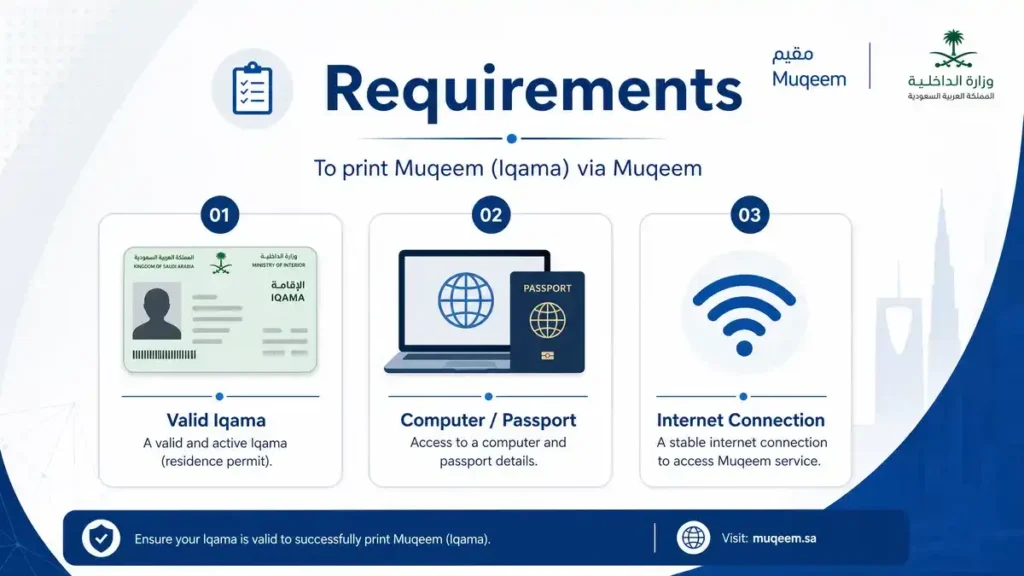
Active Muqeem Account
You need an active Muqeem account to access printing services. Only authorized users can log in and generate reports. Your account must remain active and linked to an approved establishment.
Valid Iqama Information
Keep the resident’s Iqama details ready before searching. Incorrect information can prevent the system from finding the correct record. Always verify the Iqama number before starting.
Registered Establishment Access
Muqeem serves employers and authorized organizations. Your establishment must have valid access rights to use the platform. User permissions may vary based on account roles.
Internet Connection
A stable internet connection ensures smooth access to resident records and visa information. Slow connections can interrupt report generation or PDF downloads.
Compatible Browser
Use an updated browser for the best experience. Modern versions of Chrome, Edge, Firefox, and Safari usually support Muqeem services without issues. Clear your browser cache if pages fail to load correctly.
How to Print a Muqeem Report
Muqeem makes report printing simple. Follow these steps to generate and print official resident information.
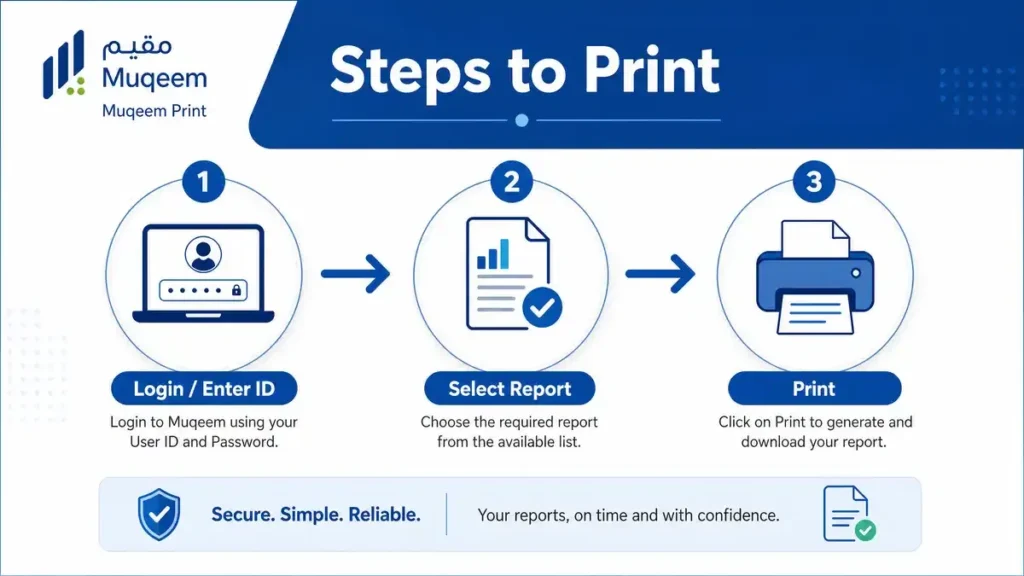
Step 1 – Login to Muqeem
Visit the official Muqeem portal and sign in using your authorized credentials. Make sure your account has permission to access resident reports.
Step 2 – Open Reports Section
After logging in, locate the reports or resident services section. This area contains available report options and search tools.
Step 3 – Search Using Iqama Number
Enter the resident’s Iqama number in the search field. Review the information carefully before moving forward. Accurate details help prevent reporting errors.
Step 4 – Generate Resident Report
Select the required report type and generate the document. The system retrieves information directly from connected immigration records.
Step 5 – Download PDF
Review the generated report. If everything looks correct, download the document in PDF format. Save the file to a secure location for future use.
Step 6 – Print the Report
Open the downloaded PDF and print the document. Check print settings before proceeding. Ensure all information appears clearly on the final copy.
Information Included in the Printed Report
The exact content may vary based on the selected report type. Most Muqeem reports include key resident and visa details.
Resident Name
The report displays the resident’s full registered name.
Iqama Number
The resident’s unique Iqama number appears on the report for identification purposes.
Nationality
Nationality information helps verify resident records and immigration status.
Passport Details
Reports often include passport number, issuing country, and related identification information.
Visa Details
Visa information may include visa type, issue date, validity period, and current status.
Expiry Dates
Important expiration dates appear on the report. These dates help employers monitor residency and visa validity.
How to Download Muqeem Report PDF
PDF downloads allow organizations to store, share, and print official reports whenever needed.
Download Options
Muqeem typically provides PDF download options after report generation. Select the download button and save the file to your device.
Saving Reports for Future Use
Store downloaded reports in a secure digital location. Organized record storage helps during audits, employee reviews, and compliance checks.
Consider creating folders based on employee names, departments, or reporting periods for easier access.
Mobile Download Process
Open Muqeem using your mobile browser. Generate the required report and tap the download option. The PDF file will save to your device’s download folder or document manager.
Desktop Download Process
Generate the report from your desktop browser and select the PDF download option. Choose a secure folder and save the document.
Common PDF Download Issues
Several issues can affect report downloads.
- Internet connection interruptions
- Browser compatibility problems
- Expired login sessions
- Pop-up blockers preventing downloads
- Insufficient device storage
- Corrupted browser cache
Muqeem Exit Re-Entry Visa Print
Many residents travel outside Saudi Arabia for work, family visits, or vacations. Before departure, they often need a printed copy of their exit re-entry visa. Muqeem makes this process quick and reliable.
What Is an Exit Re-Entry Visa?
An exit re-entry visa allows a resident to leave Saudi Arabia and return within a specific period. The visa links to the resident’s Iqama and immigration record.
Saudi authorities use this visa to track legal entry and exit movements. Travelers should always verify visa validity before booking flights.
When You Need a Printed Copy
Many travelers keep a printed copy for convenience during their journey. Airlines, employers, and immigration officers may request supporting travel documents.
Common situations include:
- International travel
- Employee business trips
- Family visits abroad
- Immigration verification
- Travel document reviews
Steps to Print Exit Re-Entry Visa
Printing an exit re-entry visa through Muqeem requires only a few steps.
Step 1
Log in to your authorized Muqeem account.
Step 2
Open the visa services or report section.
Step 3
Enter the resident’s Iqama number or visa details.
Step 4
Locate the active exit re-entry visa record.
Step 5
Generate the visa document.
Step 6
Download the PDF version.
Step 7
Print the document and review all information.
Required Information
Keep the following details ready before printing:
- Iqama number
- Resident name
- Passport number
- Visa number
- Date of birth
- Nationality
Validity Verification
Always verify visa validity before printing.
Check:
- Visa status
- Issue date
- Expiry date
- Number of permitted entries
- Return deadline
Travel Requirements
Travel requirements may change based on immigration rules and airline policies.
Before departure:
- Verify passport validity
- Confirm visa status
- Check Iqama validity
- Review airline requirements
- Carry printed and digital copies
Muqeem Final Exit Visa Print
A final exit visa marks the end of a resident’s stay in Saudi Arabia. Employers often print final exit documents for administrative records and departure procedures.
A final exit visa allows a resident to leave Saudi Arabia permanently. After departure, the resident cannot return using the same residency status. Organizations use final exit documents to complete employment and immigration processes.
Printing Procedure
The printing process follows a simple workflow.
Step 1
Access the Muqeem platform.
Step 2
Navigate to visa services.
Step 3
Search using the resident’s information.
Step 4
Locate the approved final exit visa.
Step 5
Generate the visa report.
Step 6
Download the PDF file.
Step 7
Print the final exit document.
Important Validity Checks
Verify the following information before printing:
- Resident name
- Iqama number
- Passport details
- Visa status
- Departure deadline
- Personal information accuracy
Common Mistakes to Avoid
Many printing issues occur because users skip verification.
Avoid these mistakes:
- Using an incorrect Iqama number
- Printing expired visa records
- Ignoring passport updates
- Downloading incomplete reports
- Failing to verify visa status
- Sharing documents with unauthorized individuals
- Careful review helps prevent delays and compliance issues.
How to Verify a Muqeem Report Before Printing
Verification protects both employers and residents. A quick review can prevent costly administrative errors.
Report Verification Process
Generate the report and review every section carefully. Compare the information with official records before downloading or printing.
Checking Resident Details
Confirm that the report contains the correct:
- Full name
- Iqama number
- Nationality
- Date of birth
- Residency status
Matching Passport Information
Passport information must match current records.
Review:
- Passport number
- Issuing country
- Passport expiry date
Confirming Visa Validity
Check all visa-related information before printing.
Focus on:
- Visa type
- Current status
- Validity period
- Expiration date
Avoiding Data Errors
Data accuracy improves compliance and record management.
Before printing:
- Review all fields carefully
- Compare information with official documents
- Verify recent updates
- Confirm report generation date
Muqeem Print vs Absher Printing Services
Both Muqeem and Absher provide immigration-related services. Each platform serves different users and purposes.
| Feature | Muqeem | Absher |
|---|---|---|
| Employer Access | ✓ | Limited |
| Employee Reports | ✓ | Limited |
| Visa Printing | ✓ | ✓ |
| Resident Reports | ✓ | Partial |
| Establishment Management | ✓ | ✗ |
When to Use Muqeem
Muqeem works best for businesses, employers, and HR departments.
Use Muqeem when you need:
- Employee residency reports
- Visa management tools
- Workforce verification
- Establishment services
- Bulk administrative tasks
Organizations often rely on Muqeem for day-to-day immigration management.
When to Use Absher
Absher primarily serves individual residents and citizens.
Use Absher when you need:
- Personal government services
- Individual visa checks
- Resident account services
- Personal document verification
- Many residents use Absher for self-service transactions.
Major Differences
The biggest difference involves the target audience.
Muqeem focuses on employers, establishments, and workforce management. Absher focuses on individual users and personal government services.
Muqeem offers stronger reporting tools and establishment management features. Absher provides broader citizen and resident self-service options.
Common Muqeem Print Problems and Solutions
Most Muqeem printing issues have simple solutions. Understanding common problems can save time and prevent unnecessary delays.
Unable to Generate Report
Sometimes the system cannot generate a report after a search request.
Common causes include:
- Incorrect Iqama number
- Expired session
- Temporary system maintenance
- Missing access permissions
Verify the entered information and sign in again. If the issue continues, check whether your establishment account has the required permissions.
Login Issues
Login problems often prevent access to Muqeem services.
Possible reasons include:
- Incorrect username or password
- Locked account
- Expired credentials
- Browser-related issues
Missing Resident Information
A report may display incomplete resident data.
This issue can occur when:
- Records have not been updated
- Passport information recently changed
- Immigration records remain under review
PDF Download Failure
PDF downloads may stop unexpectedly or fail to start.
Common causes include:
- Weak internet connection
- Browser restrictions
- Pop-up blockers
- Device storage limitations
Refresh the page and try again. Use a supported browser and ensure enough storage space exists on your device.
Printing Errors
Printed reports should display clear and complete information.
If problems occur:
- Check printer settings
- Verify page orientation
- Review print scaling options
- Download the PDF again
- Always preview the document before printing.
Browser Compatibility Problems
Older browsers may not support all Muqeem functions.
For the best experience:
- Update your browser
- Enable JavaScript
- Disable conflicting extensions
- Clear cached files
Incorrect Visa Information
Incorrect visa details can create serious travel and compliance issues.
Before printing:
- Verify visa type
- Confirm validity dates
- Check resident information
- Review immigration records
Report discrepancies immediately to avoid future complications.
Benefits of Using Muqeem Print
Muqeem Print helps organizations manage resident information efficiently. The platform supports faster documentation and better record control.
Faster Documentation
- Manual paperwork takes time. Muqeem allows users to generate reports within minutes.
- Quick access improves productivity and reduces delays.
Government Verified Information
Muqeem connects with official immigration systems. This connection helps provide accurate residency and visa information.
Reduced Administrative Work
- Automated report generation reduces repetitive administrative tasks.
- HR teams and employers can focus on higher-value responsibilities instead of manual record preparation.
Improved Compliance
- Accurate records help organizations meet immigration and employment requirements.
- Regular verification also reduces compliance risks.
Better Record Keeping
- Digital reports improve organization and accessibility.
- Employers can store, retrieve, and review resident information whenever needed.
Convenient Digital Access
- Authorized users can access reports online from different locations.
- This flexibility supports remote work and multi-location operations.
Security and Privacy Measures
Resident information contains sensitive personal data. Organizations should follow strong security practices when using Muqeem Print.
Data Protection Standards
- Protect downloaded reports from unauthorized access.
- Store files in secure systems and limit access to approved personnel only.
User Authentication
- Strong authentication protects Muqeem accounts from misuse.
- Use secure passwords and update them regularly. Follow your organization’s security policies.
Secure Access Controls
- Assign access rights based on job responsibilities.
- Employees should only access information necessary for their role.
- This approach reduces security risks and improves accountability.
Information Confidentiality
- Resident records contain personal and immigration-related information.
- Avoid sharing reports through unsecured channels. Maintain confidentiality throughout the document lifecycle.
Best Practices for Managing Printed Muqeem Documents
Good document management improves compliance, security, and operational efficiency.
Secure Storage
- Store printed reports in locked cabinets or secure archives.
- Protect digital copies with access controls and backup systems.
Document Verification
- Review every report before distribution.
- Verify names, Iqama numbers, passport details, and visa information.
- Accurate documents reduce administrative errors.
Renewal Monitoring
Track important expiration dates regularly.
Monitor:
- Iqama validity
- Passport expiry dates
- Visa expiration dates
- Early monitoring helps prevent disruptions.
Updating Resident Records
Update records whenever information changes.
Examples include:
- Passport renewals
- Nationality updates
- Visa changes
- Employment transfers
- Current records improve reporting accuracy.
Avoiding Expired Documents
- Never rely on outdated reports for official decisions.
- Generate a new report whenever current information is required. Fresh data improves accuracy and compliance.
Frequently Asked Questions About Muqeem Print
What is Muqeem Print?
Muqeem Print is a service that allows authorized users to generate, download, and print resident information reports, visa records, and immigration documents through the Muqeem platform.
Can I print a Muqeem report online?
Yes. Authorized users can generate a report through Muqeem, download the PDF file, and print it online.
Is Muqeem Print free?
Access depends on the organization’s Muqeem subscription and service permissions. Some features may require an active establishment account.
How do I download a Muqeem report PDF?
Generate the report through the Muqeem portal and select the PDF download option. Save the file before printing.
Can I print an exit re-entry visa from Muqeem?
Yes. Muqeem allows authorized users to generate and print exit re-entry visa documents for eligible residents.
What information appears in a Muqeem report?
Most reports include the resident’s name, Iqama number, nationality, passport details, visa information, and important validity dates.
How can I verify my report?
Review all personal, residency, and visa information. Compare the report with official records before downloading or printing.
Is Muqeem better than Absher for report printing?
Muqeem offers stronger reporting and establishment management features. Absher focuses more on individual resident services.
Why is my report not downloading?
Common reasons include internet issues, browser restrictions, insufficient storage, or an expired login session.
Can I print Muqeem reports on mobile?
Yes. You can access Muqeem through a supported mobile browser, generate a report, download the PDF, and print it from your device.