
How to Fix Muqeem Login Error 404: Causes and Solutions
Encountering a “404 Not Found” error when trying to access the Muqeem portal can be incredibly frustrating, especially when you need to manage critical residency or visa services in Saudi Arabia. This common web error indicates that the server cannot find the requested page. While it might seem daunting, most Muqeem login 404 errors can be resolved with a few straightforward troubleshooting steps. This comprehensive guide will walk you through the causes, solutions, and preventative measures to ensure seamless access to your Muqeem account.
Understanding the Muqeem Login Error 404
A 404 error is a standard HTTP status code that means the server could not find what was requested. In the context of the Muqeem portal, this typically signifies one of the following:
- The page has been moved or deleted: The specific URL you are trying to access no longer exists at that location.
- Incorrect URL: A typo in the web address or an outdated bookmark is leading you to a non-existent page.
- Server issues: The Muqeem server might be temporarily down for maintenance, experiencing high traffic, or facing technical difficulties.
- Client-side problems: Your browser’s cache, cookies, or extensions might be interfering with the connection, or your internet connection is unstable.
Common Causes of Muqeem Login 404 Errors and Their Solutions
Let’s delve into the most frequent reasons behind a Muqeem 404 error and how to address them effectively.
1. Incorrect or Outdated URL
Cause: The most common reason for a 404 error is simply typing the wrong address or using an old, invalid link. The Muqeem portal has several sub-domains and specific entry points (e.g., for individuals, businesses, or visa validity checks). For similar access errors, see how to fix Absher login issues in simple steps.
Solution:
Verify the URL: Always ensure you are using the correct and official Muqeem portal URL. The primary login page is typically found at muqeem.sa or vv.muqeem.sa for visa verification. Double-check for any typos.
Use official bookmarks: Bookmark the correct login page after successfully accessing it to avoid future errors.
2. Browser Cache and Cookies Interference
Cause: Your web browser stores temporary data (cache and cookies) to speed up loading times. However, corrupted or outdated cached data can sometimes conflict with the website, leading to a 404 error.
Solution:
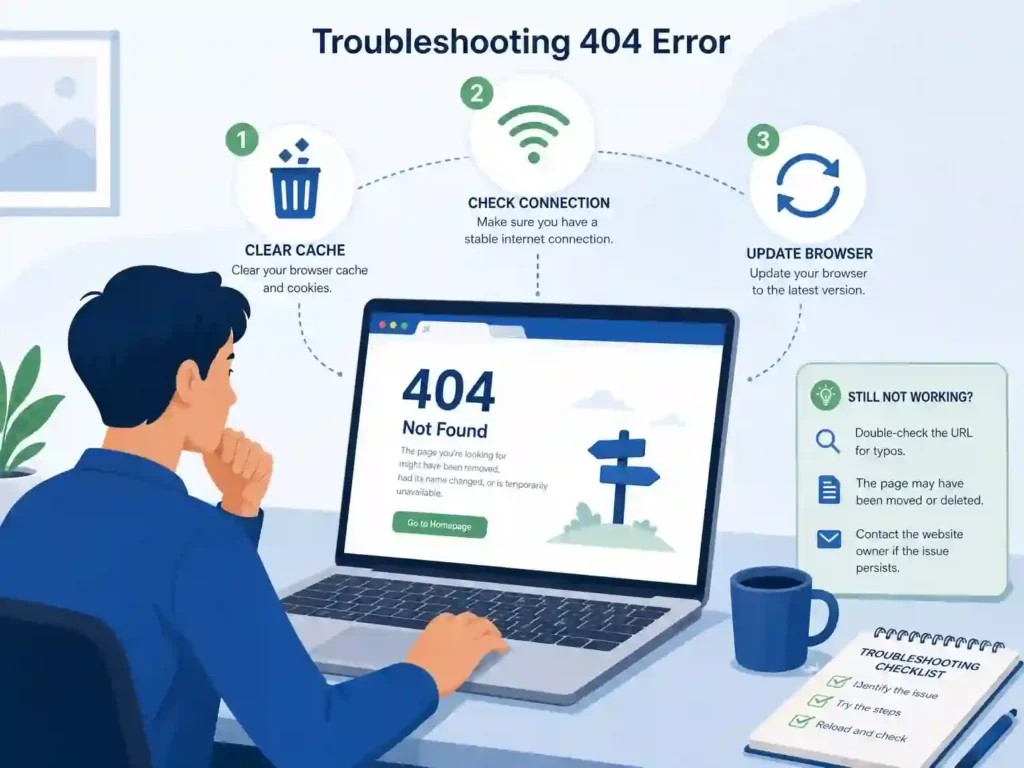
- Clear Browser Cache and Cookies: This is often the quickest fix. Go to your browser settings, find the privacy or history section, and clear your browsing data, specifically cache and cookies. Restart your browser afterward.
- Try Incognito/Private Mode: Open the Muqeem portal in an incognito or private browsing window. This mode typically disables extensions and doesn’t use cached data, providing a clean slate.
- Use a Different Browser: If the issue persists, try accessing Muqeem from another web browser (e.g., Chrome, Firefox, Edge, Safari) to rule out browser-specific problems.
3. Internet Connectivity Issues
Cause: An unstable or interrupted internet connection can prevent your browser from fully loading the Muqeem portal, resulting in a 404 error.
Solution:
- Check Your Internet Connection: Ensure your Wi-Fi or wired connection is stable. Try opening other websites to confirm internet access.
- Restart Your Router/Modem: A simple restart of your network equipment can often resolve connectivity glitches.
4. Muqeem Server-Side Problems
Cause: Occasionally, the 404 error might not be on your end. The Muqeem portal’s servers could be undergoing maintenance, experiencing an outage, or facing unexpected technical difficulties.
Solution:
- Check Official Announcements: Look for any official announcements from Muqeem or Jawazat (Saudi General Directorate of Passports) regarding scheduled maintenance or service disruptions. These are often posted on their official websites or social media channels.
- Wait and Retry: If it’s a server-side issue, the best course of action is to wait for some time (e.g., 30 minutes to a few hours) and then try logging in again.
5. Browser Extensions and Security Software
Cause: Certain browser extensions (like ad blockers or VPNs) or overly aggressive security software (firewalls, antivirus) can sometimes block legitimate website content or redirect your connection, leading to a 404 error.
Solution:
- Disable Browser Extensions: Temporarily disable all browser extensions and try accessing the Muqeem portal. If it works, re-enable them one by one to identify the culprit.
- Temporarily Disable VPN/Firewall: If you are using a VPN or a strict firewall, try temporarily disabling them to see if they are causing the conflict. Remember to re-enable them after you’ve accessed the portal.
6. Device-Specific Issues
Cause: Rarely, a problem with your device’s operating system or network settings might be the underlying cause.
Solution:
- Try a Different Device: Attempt to log in to Muqeem from another computer, tablet, or smartphone. If it works, the issue is likely with your primary device.
- Restart Your Device: A full restart can often clear temporary system glitches. Border Number Check in Saudi Arabia Using Passport Number
When to Contact Muqeem Support
If you have exhausted all the troubleshooting steps above and are still encountering the 404 error, it’s time to reach out to Muqeem’s official support channels. When contacting them, be prepared to provide the following information:
- The exact URL you are trying to access.
- The specific error message (e.g., “404 Not Found”).
- The browser(s) and device(s) you have tried.
- The steps you have already taken to troubleshoot the issue.
- Your Muqeem account details (username, Iqama number, etc., but only provide these when explicitly requested by official support personnel).
Preventative Measures for a Smooth Muqeem Experience
To minimize the chances of encountering a 404 error in the future, consider these tips:
- Bookmark Official Pages: Always use official and verified URLs for the Muqeem portal and its services. Create bookmarks for quick and reliable access.
- Keep Your Browser Updated: Ensure your web browser is always running the latest version to benefit from security patches and improved compatibility.
- Regularly Clear Cache: Make it a habit to clear your browser’s cache and cookies periodically.
- Maintain a Stable Internet Connection: A reliable internet connection is crucial for accessing online services without interruptions.
How to fix muqeem login error 404 FAQs
1. What is Muqeem login error 404?
Muqeem login error 404 means the requested page cannot be found on the server. It usually happens due to an incorrect URL, deleted page, or temporary server issue on the Muqeem portal.
2. Why does Muqeem show a 404 error?
Muqeem shows a 404 error mainly because of wrong web address, outdated bookmarks, browser cache issues, or temporary maintenance on the Muqeem system.
3. How can I fix Muqeem login error 404 quickly?
You can fix it by checking the correct Muqeem URL, clearing your browser cache and cookies, using incognito mode, or trying a different browser or device.
4. Is Muqeem 404 error a server problem?
Sometimes yes. If the Muqeem portal is under maintenance or facing high traffic, users may see a 404 error even with the correct link.
5. Which browser is best for Muqeem portal login?
Google Chrome, Microsoft Edge, and Mozilla Firefox are the most stable browsers for accessing the Muqeem portal without errors.
6. Can VPN cause Muqeem login error 404?
Yes, VPNs or proxy connections can sometimes block or redirect Muqeem traffic, causing a 404 error. Disabling VPN may solve the issue.
7. What should I do if Muqeem login still does not work?
If the issue continues, wait for some time, check official announcements, or contact Muqeem support for further assistance.
How to fix muqeem login error 404 Conclusion
The Muqeem login error 404, while disruptive, is usually a solvable problem. By systematically going through the troubleshooting steps outlined in this guide, you can often identify and resolve the issue yourself. Remember to verify your URLs, manage your browser data, and ensure a stable internet connection. If all else fails, don’t hesitate to contact Muqeem’s dedicated support team for assistance. A smooth Muqeem experience is essential for managing your affairs in Saudi Arabia, and with these tips, you’ll be well-equipped to handle any 404 hurdles.