
Qiwa Login 2026: Official Sign In for Employees and Businesses
Qiwa Login gives employees and businesses access to Saudi Arabia’s digital labor services. The Ministry of Human Resources and Social Development (HRSD) provides Qiwa as a unified labor platform. Employees can access services related to employment contracts and other labor matters. Businesses can manage workforce and establishment-related services through Qiwa.
To sign in, use the official Qiwa website and follow its current login process. After signing in, users can access the services available for their account type.
Always check the official Qiwa domain before entering your login details. Avoid unofficial websites that copy Qiwa login pages or request sensitive information.
Qiwa Login – Official Login Link
Official Qiwa Login
The official Qiwa platform is available at qiwa.sa. HRSD identifies Qiwa as its unified platform for labor-sector services.
Use the official Qiwa website when you want to access your account. The current login process may change as Qiwa updates its platform.
Before signing in, check the website address carefully. The legitimate domain is qiwa.sa.
Avoid websites that copy the Qiwa login page. Never enter your password or verification details on unknown websites.
How to Login to Qiwa
Follow these general steps to access your Qiwa account:
- Open the official Qiwa website at qiwa.sa.
- Select the appropriate login option shown on the website.
- Enter the requested account information.
- Complete the authentication step shown on screen.
- Access the Qiwa services available for your account.
The exact authentication method can change. Do not assume that Qiwa requires Nafath or Absher for every login.
Qiwa Individuals Login
Qiwa Individuals serves users who access eligible labor services through their individual accounts. HRSD service pages specifically refer to Qiwa Individuals for employee services.

Who Uses Qiwa Individuals?
Qiwa Individuals can serve:
- Employees
- Workers
- Individuals using eligible Qiwa labor services
The available services depend on the user’s situation and eligibility.
What Can Employees Do After Qiwa Login?
Employees can access several labor-related services through Qiwa.
For example, employees can manage their employment contracts. HRSD confirms that employees can approve, reject, or request changes to contracts through their Qiwa account.
Eligible employees can also use the contract termination service. HRSD states that employees can submit a termination request through Qiwa Individuals when the required conditions are met.
Depending on eligibility, Qiwa can help employees:
- View and manage employment contracts
- Approve employment contracts
- Reject employment contracts
- Request contract amendments
- Access eligible employee services
- Submit an employment termination request
Qiwa therefore provides more than simple account access. It connects users with digital labor services through one platform.
Qiwa Employee Login Problems
Login problems can have different causes. The issue may involve account access, authentication, or the Qiwa service itself.
First, check that you are using qiwa.sa. Then follow the authentication instructions shown on the official website.
If you can sign in but cannot find a service, check your account type and eligibility. Some Qiwa services have specific conditions.
For contract issues, check whether the employment contract appears in your Qiwa account. HRSD confirms that contract services depend on the employee’s Qiwa account and the contract’s status.
Do not follow password or verification instructions from unofficial websites. Use Qiwa or the relevant official HRSD support channel when you need further help.
Qiwa Business Login
Qiwa Business gives employers and private-sector establishments access to Saudi labor services.
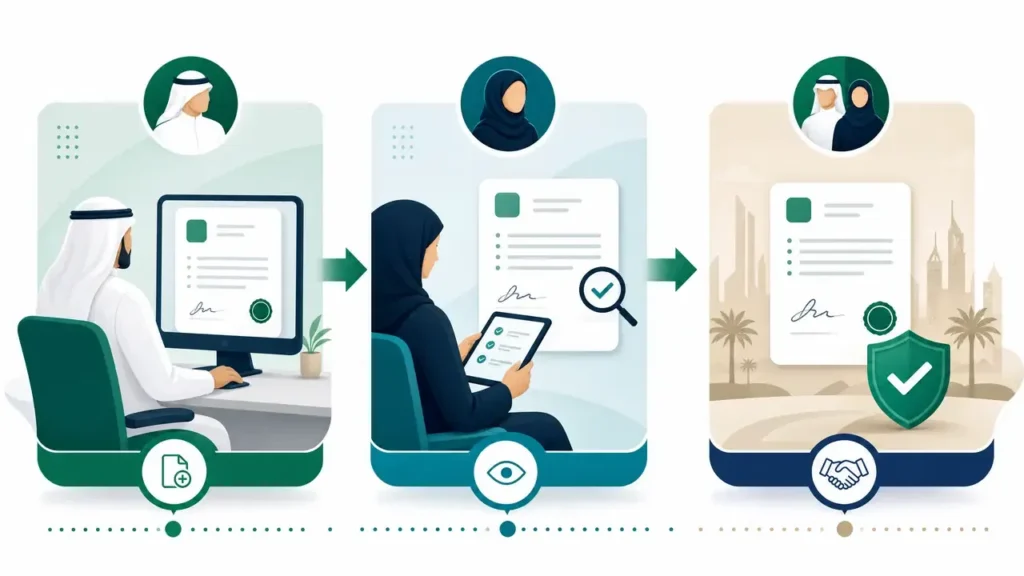
HRSD identifies Qiwa as the main digital platform for Saudi labor-system services. It supports employees and private establishments.
Who Uses Qiwa Business?
Qiwa Business is mainly used by:
- Employers
- Establishment owners
- Authorized representatives
- Private-sector establishments
The services available to each establishment depend on its status and eligibility.
What Can Businesses Do After Login?
Businesses can access several workforce and labor services through Qiwa.
These services include:
- Employment contract management
- Employee transfer
- Work permit services
- Profession changes
- Workforce management services
- Other eligible establishment services
For example, HRSD directs establishments to Qiwa for employee transfer services. The process includes selecting the relevant transfer service and entering worker details.
Employers can also use Qiwa for employment contract management. This helps establishments create and manage employment agreements.
Qiwa also provides access to work license services for eligible establishments. HRSD lists Qiwa as the service channel for issuing and renewing work licenses.
Qiwa Login With Absher
Qiwa Login With Absher is a common search query among Saudi residents and employees.
The two platforms have different roles.
Absher is the Saudi Ministry of Interior’s digital government platform. It provides electronic services for citizens, residents, and visitors.
Qiwa focuses on labor and workforce services under HRSD.
Why Do Users Associate Absher With Qiwa?
Users may associate Qiwa with Absher because both platforms support important Saudi digital services.
Users may also encounter identity verification when accessing government platforms.
However, Qiwa and Absher are not the same platform.
Qiwa focuses on employment and labor services. Absher focuses on Ministry of Interior services.
Can You Log In to Qiwa With Absher?
Do not assume that Absher is mandatory for Qiwa Login.
The available authentication options can change as Qiwa updates its platform.
The safest approach is simple:
Open the official Qiwa website and use the authentication option currently shown there.
If the current Qiwa login page displays an Absher authentication option, follow that official process.
If it does not, do not use an unofficial Absher-to-Qiwa login method.
HRSD confirms Qiwa as its unified labor-services platform. However, HRSD’s public service information does not establish that Absher is mandatory for every Qiwa login.
What If Absher Appears During Qiwa Authentication?
If Absher appears during the official Qiwa authentication process, follow the instructions shown on the official page.
Before entering any information, check the website domain.
Use qiwa.sa for Qiwa services.
Use the official Absher website when an official authentication step directs you there.
Never enter your Absher password or verification code on an unrelated website.
This approach helps protect your account and avoids fake Qiwa Login With Absher pages.
Qiwa Login With Nafath
Nafath is Saudi Arabia’s national digital identity and authentication service. It helps users verify their identity when accessing government and private digital services.

Digital authentication confirms that the person accessing a service matches the verified digital identity. Nafath supports secure access to many Saudi digital services. Its official platform provides identity verification and authentication services.
Qiwa also has an official authentication route that uses Nafath. The current Qiwa authentication system exposes a dedicated Nafath login endpoint.
Is Nafath Required for Qiwa Login?
Nafath is used in the current Qiwa authentication process.
The official Qiwa authentication system currently provides a Nafath login route.
However, users should follow the authentication options shown on the current Qiwa website.
Do not use third-party websites to access Qiwa through Nafath.
Start from the official Qiwa domain and continue through the authentication process shown there.
If Nafath requests identity approval, complete the request only when you started the process from the official Qiwa website.
What Is Qiwa?
Qiwa is Saudi Arabia’s digital platform for labor and workforce services.
HRSD describes Qiwa as the main digital platform for services within the Saudi labor system. It provides a unified interface for employees, government entities, and private establishments.
The platform brings many employment and workforce services into one digital environment.
These services support areas such as employment contracts, employee transfers, work licenses, and profession changes.
Qiwa also supports labor-market compliance and digital employment processes. HRSD uses Qiwa for employment contract documentation and other labor services.
What Does Qiwa Stand For?
Qiwa is the name of Saudi Arabia’s unified digital labor platform.
Official HRSD sources describe Qiwa as a platform rather than providing an expanded English form for the name.
For this reason, avoid claiming that Qiwa is an acronym unless an official source confirms it.
Who Uses Qiwa?
Qiwa serves different users across Saudi Arabia’s labor market.
| User | Main purpose |
|---|---|
| Employee | Labor and employment services |
| Employer | Establishment and workforce services |
| Establishment | Manage eligible labor services |
| Authorized representative | Perform authorized business services |
The exact services depend on the user’s role and eligibility.
Employees can manage eligible employment services through Qiwa Individuals. Employers and establishments can access business and workforce services through Qiwa.
This role-based structure helps connect workers and businesses within Saudi Arabia’s digital labor system.
Qiwa Services After Login
Qiwa Login gives users access to labor and workforce services based on their account type.
Qiwa supports both employees and private-sector establishments. HRSD uses the platform for several core labor services.
Employment Contract Management
Qiwa helps establishments create and document employment contracts electronically.
An employer can create a contract through Qiwa Business. The contract then goes to the employee’s Qiwa account for review.
The employee can:
- Approve the employment contract
- Reject the contract
- Request contract amendments
If both parties agree, HRSD considers the contract documented and approved.
This process gives employees and employers a digital way to manage the employment relationship.
Employee Transfer
Qiwa provides an electronic service for transferring expatriate workers between employers.
An eligible establishment can request an employee transfer through its Qiwa account. The employer selects the transfer service and adds the required worker information.
The process can also include creating an employment contract for the worker.
HRSD lists specific establishment conditions for this service. These conditions can include valid business records, valid work permits, and Wage Protection compliance.
Eligibility can change, so check the current HRSD requirements before starting a transfer request.
Work Permit Services
Qiwa also supports work license services for eligible establishments.
Employers can use Qiwa to issue or renew work licenses for expatriate workers. HRSD links these services to Qiwa as the digital service channel.
A valid work license plays an important role in the employment status of expatriate workers.
The exact requirements and fees depend on the specific service. Always check the current HRSD service page before making a payment or submitting a request.
Profession Change
Qiwa allows eligible establishments to request a profession change for an expatriate worker.
The service helps an establishment update a worker’s profession to match the actual work performed. HRSD provides this service through Qiwa.
The establishment must meet the service conditions before submitting the request.
Some professions may also require a valid professional certificate from the relevant Saudi authority.
Do not assume that every expatriate worker qualifies for a profession change.
Contract Termination
Qiwa provides an electronic service for employees who want to terminate an employment contract.
The employee can submit the request through Qiwa Individuals when the required conditions apply.
HRSD currently requires the employee to have a valid contract on Qiwa. There must also be no existing termination request for the same contract.
The service lets eligible employees submit the request electronically without visiting the employer.
Other Qiwa Labor Services
Qiwa covers more than contract and employee services.
The platform supports other labor-related services for employees and establishments. Available services can depend on the user’s account, establishment status, and eligibility.
Qiwa Registration 2026
Qiwa registration gives users access to the platform’s eligible labor services. The registration and account-access process can vary between individuals and establishments. Use the official Qiwa website for the current process.

How to Register on Qiwa
Start from the official Qiwa website and choose the registration option shown for your account type.
Follow the instructions displayed by Qiwa. Complete the requested identity or account verification steps.
After registration, sign in through the official Qiwa platform and access the services available to your account.
Do not follow registration guides from unknown websites when they ask for passwords, verification codes, or other sensitive information.
Who Can Create a Qiwa Account?
Qiwa supports different users across Saudi Arabia’s labor market.
These include:
- Individuals
- Employees
- Employers
- Private-sector establishments
- Authorized establishment representatives
The available services depend on the user’s role and eligibility.
Qiwa Individuals focuses on individual labor services. Establishment accounts support employer and workforce services.
Information Needed for Qiwa Registration
Qiwa may request account or identity information during registration and authentication.
However, requirements can vary by account type and current Qiwa process.
Do not publish a fixed list of registration requirements unless Qiwa or HRSD currently confirms them.
The safest approach is to follow the information requests shown on the official Qiwa registration page.
Always verify the website address before entering personal or business information.
Qiwa Employment Contract Login
Employment contracts are one of the key services available through Qiwa.
HRSD allows establishments to create and document employment contracts through Qiwa. Employees can then review the contract through their Qiwa Individuals account.
How Employees Access Employment Contracts
After the employer creates a contract, the employee can review it through their Qiwa account.
The employee should sign in to Qiwa Individuals and access the employment contract service.
The contract contains important employment details. These can include the job title, contract period, working hours, and financial obligations.
HRSD confirms that employees can review their contracts through Qiwa and respond to the contract request.
If you already have an employment contract on Qiwa, check its details carefully before approving it.
How Employees Approve a Contract
An employee can approve an employment contract after reviewing its details.
Check the job title, contract duration, working hours, salary, and other terms.
If the information is correct, select the approval option shown in Qiwa.
When both parties agree to the contract, HRSD considers it documented and approved.
How Employees Reject a Contract
An employee can reject a contract when its terms are not acceptable.
Review the contract before selecting the rejection option.
Use the reason or details requested by Qiwa when submitting the response.
Do not approve a contract until you confirm that its information matches your actual employment terms.
How Employees Request Contract Amendments
Employees can also request changes instead of accepting or rejecting the contract.
Review the contract and select the option to request an amendment.
Explain the required changes through the process provided by Qiwa.
HRSD confirms that employees can request amendments through their Qiwa Individuals account.
Qiwa Work Permit Services
A work permit allows an eligible expatriate worker to work legally in Saudi Arabia under the applicable labor rules.
HRSD provides the electronic work-license service through Qiwa. The service allows establishments to issue and renew work licenses for expatriate workers.
What Is a Work Permit?
A work permit is an official authorization connected to an expatriate worker’s employment in Saudi Arabia.
It supports the worker’s legal employment status under Saudi labor regulations.
HRSD states that the work permit is one condition for issuing or renewing the worker’s regular residency.
A work permit does not replace other licenses or permits that a profession may require.
Qiwa’s Role in Work Permits
Qiwa provides the digital channel for eligible establishments to manage work-license services.
The employer selects the establishment and accesses the Issue and Renew Work License service.
HRSD lists Qiwa as the service channel for this process.
Issuing a Work Permit
An eligible establishment can use Qiwa to issue a work license for an expatriate worker.
The employer signs in, selects the relevant establishment, and opens the work-license service.
The employer then follows the current HRSD requirements and payment process.
The exact eligibility rules can depend on the establishment and worker.
Renewing a Work Permit
Employers can also renew an eligible expatriate worker’s work license through Qiwa.
HRSD provides the same electronic service for issuing and renewing work licenses.
Check the worker and establishment status before starting the renewal.
Do not rely on old renewal rules from unofficial websites.
Work Permit and Residency Requirements
The work permit has a direct connection with expatriate residency requirements.
HRSD states that the work permit is one of the conditions for issuing or renewing regular residency in Saudi Arabia.
This does not mean that a work permit alone completes the residency process.
Other residency requirements can apply.
Qiwa Work Permit Fee
HRSD currently lists a SAR 100 service fee for its specific Issue and Renew Work License service.
The page lists Sadad as the payment channel.
This does not mean that Qiwa charges SAR 100 for every service.
Fees depend on the specific government service and its current requirements.
Qiwa Employee Transfer
Qiwa provides an electronic service for transferring an expatriate worker from one employer to another.
The service lets an eligible establishment request the worker’s transfer without visiting an HRSD office. HRSD lists Qiwa as the official service channel.
What Is Employee Transfer?
Employee transfer means moving an expatriate worker’s services from one employer to another.
The new employer starts the request through its Qiwa establishment account.
The process can also connect the transfer with a new employment contract.
How Does Qiwa Handle Employee Transfer?
The employer signs in to the establishment account on Qiwa.
The employer then selects the employee transfer service and chooses the relevant establishment.
Next, the employer adds the worker’s information and creates an employment contract.
The worker may also need to respond through their Qiwa account during the transfer process.
This creates a digital connection between the employee transfer and employment contract processes.
Basic Employee Transfer Conditions
HRSD currently lists several establishment-level conditions.
These include:
- A valid commercial registration when required
- An active establishment status
- Valid work permits across relevant unified-number establishments
- Compliance with the Wage Protection Program
- Required establishment classification conditions
- Sufficient transfer credit where applicable
Qiwa Profession Change
Qiwa provides an electronic service for changing an eligible expatriate worker’s profession.
The service helps an establishment update a worker’s profession to match the actual work performed. HRSD provides this service through Qiwa.
What Does Profession Change Mean?
Profession change updates the worker’s registered profession in the relevant employment records.
The new profession must meet the applicable Saudi labor and occupational rules.
Some professions also require professional certificates from the relevant Saudi authority.
Who Initiates a Profession Change?
The employer or establishment normally starts the profession change request through its Qiwa Business account.
The establishment selects the worker and submits the requested profession.
Some cases can require the worker’s approval before completion.
How Does Profession Change Work?
The basic process follows these steps:
- Sign in to the establishment’s Qiwa account.
- Open the relevant profession management service.
- Select the employee.
- Choose the new profession.
- Submit the request.
- Complete any required approval or government procedures.
The exact interface can change, so follow the current instructions shown by Qiwa.
Profession Change Eligibility
HRSD currently lists conditions for this service.
For example, the establishment must meet applicable licensing and status requirements.
The worker must not have a final exit visa.
The worker must also avoid certain conflicting requests, such as a pending transfer or profession-change request.
Some professions require a valid professional practice certificate.
These requirements can vary by profession and establishment.
Common Profession Change Problems
A profession change request may fail when the establishment or worker does not meet the current conditions.
Common issues include:
- The establishment does not meet current eligibility rules
- The worker has a pending transfer request
- Another profession-change request already exists
- The worker has a final exit visa
- A required professional certificate is missing
- The requested profession has localization restrictions
Qiwa Login Problems and Solutions
Qiwa login problems can come from authentication, account access, browser, or eligibility issues.
The first step should always be checking the official Qiwa website.
| Problem | Possible reason | Solution |
|---|---|---|
| Qiwa login not working | Account or authentication issue | Check the official login page and account details |
| Qiwa website not opening | Browser or network issue | Try another browser or network |
| Verification problem | Authentication issue | Follow the current official verification instructions |
| Account inaccessible | Account access issue | Use the official recovery or support option |
| Service not appearing | Eligibility or account permissions | Check the account and establishment status |
| Employment contract missing | Contract or account issue | Check Qiwa Individuals and the contract section |
| Business establishment missing | Authorization or association issue | Check establishment access and authorized status |
Qiwa Password Problem
Password recovery options can change as Qiwa updates its authentication system.
Use only the password or account recovery option shown on the official Qiwa website.
Do not use password-reset links from third-party websites.
If the official recovery option does not solve the problem, use Qiwa’s official support channel.
Qiwa Verification Problem
Verification problems can prevent successful Qiwa authentication.
First, check that you started the process from the official Qiwa website.
Then complete the authentication method currently shown by Qiwa.
If an authentication request appears unexpectedly, do not approve it.
Start a new login session from the official Qiwa website instead.
Qiwa Service Not Showing
A missing Qiwa service does not always mean that the platform has a technical problem.
Service availability can depend on:
- User role
- Individual or business account
- Establishment status
- Worker status
- Service eligibility
- Current service conditions
Employment Contract Missing
If an employment contract does not appear, first check your Qiwa Individuals account.
HRSD states that employers send contract documentation requests to the employee’s Qiwa Individuals account.
If the contract still does not appear, ask the employer to verify the contract submission.
Business Establishment Missing
A missing establishment can indicate an access or authorization issue.
Check whether you are using the correct Qiwa business account.
Also confirm that your account has the required relationship or authorization for that establishment.
If the establishment still does not appear, use the official Qiwa support channel rather than relying on third-party instructions.
Qiwa vs Mudad vs Absher vs Nafath
Qiwa, Mudad, Absher, and Nafath serve different purposes in Saudi Arabia.
Understanding the difference helps you choose the right platform.
| Platform | Main purpose |
|---|---|
| Qiwa | Labor and workforce services |
| Mudad | Wage Protection and payroll-related services |
| Absher | Ministry of Interior government services |
| Nafath | Digital identity and authentication |
Is Qiwa the Same as Mudad?
No.
Qiwa and Mudad support different parts of Saudi Arabia’s labor system.
Qiwa handles many employment and workforce services.
These include employment contracts, worker transfers, and work-license services.
Mudad focuses on Wage Protection and payroll-related processes.
HRSD states that establishments submit Wage Protection files through Mudad.
For a detailed login guide, see our Mudad Login article.
Is Qiwa the Same as Absher?
No.
Qiwa and Absher serve different government functions.
Qiwa focuses on labor and workforce services.
Absher provides digital services from the Ministry of Interior and its sectors.
Absher serves citizens, residents, and visitors.
Therefore, a Qiwa account does not replace an Absher account.
Is Qiwa the Same as Nafath?
No.
Qiwa is a labor and workforce platform.
Nafath is a national digital identity and authentication system.
Nafath helps users verify their identity when accessing supported digital services.
It is not a replacement for Qiwa’s labor services.
Qiwa Fees
Do not assume that all Qiwa services are free.
Qiwa provides different services through the Saudi labor system.
Each service can have its own fee or payment rules.
Some services have no service fee.
Other services have a specific government fee.
For example, HRSD currently lists SAR 100 for its “Issue and Renew Work License” service through Qiwa. The page also lists Sadad as the payment channel.
HRSD also lists some Qiwa services as free.
For example, its current expatriate worker transfer service shows no service fee.
Therefore, always check the current HRSD service page before making a payment.
How to Contact Qiwa Support
Use official channels when you have a Qiwa account or service problem.
Current HRSD service pages for Qiwa services list:
- HRSD support number: 19911
- Email: info@hrsd.gov.sa
- Official Qiwa website: Qiwa.sa
HRSD lists these contact details on current Qiwa service pages, including employee transfer and work-license services.
You can also start from the official Qiwa website and use the available support options.
What Information Should You Prepare?
Prepare useful information before contacting support.
This can help the support team understand the problem faster.
Keep these details ready:
- Your account type
- Relevant establishment information
- Name of the affected Qiwa service
- Error message
- Date and time of the problem
- Screenshot of the error
- Reference or request number, if available
Qiwa Login 2026 Security Tips
Your Qiwa account may contain important employment information.
Use safe login practices every time.
Use the Official Qiwa Domain
Start from the official Qiwa website.
Check the domain before entering your login information.
Avoid websites that copy Qiwa’s design.
Do Not Enter Credentials on Third-Party Websites
Never enter your Qiwa username or password on an unofficial website.
Search results can sometimes contain misleading pages.
Open Qiwa directly when possible.
Do Not Share Your Password
Keep your Qiwa password private.
Do not send it through WhatsApp, email, social media, or public forums.
Do Not Share OTPs
Never share an OTP with another person.
A support representative should not need your login OTP.
Do Not Approve Unknown Authentication Requests
Do not approve an authentication request that you did not start.
If something looks suspicious, cancel the request.
Then start a new login session from the official Qiwa website.
Check the Domain Before Signing In
Look at the website address before entering sensitive information.
Do not trust a page only because it looks like Qiwa.
Use Official Support for Account Problems
If you cannot access your account, use official Qiwa or HRSD support.
Avoid third-party agents who request your password or authentication codes.
Nafath also advises users not to share login information and recommends contacting official technical support when account security becomes a concern.
Important Qiwa Terms
These Qiwa terms help you understand the platform and its main services.
| Term | Simple meaning |
|---|---|
| Qiwa | Saudi Arabia’s digital platform for labor and workforce services. |
| Qiwa Individuals | The Qiwa area for employees and individual users. |
| Qiwa Business | The Qiwa area for employers and private-sector establishments. |
| HRSD | Saudi Arabia’s Ministry of Human Resources and Social Development. |
| Employment Contract | An agreement that defines the employment relationship and its terms. |
| Work Permit | An official permit linked to an expatriate worker’s employment in Saudi Arabia. |
| Employee Transfer | Moving an expatriate worker’s services from one employer to another. |
| Profession Change | Updating an eligible worker’s registered profession. |
| Establishment | A business or organization registered for labor-related services. |
| Employer | A person or organization that employs workers. |
| Employee | A person who works for an employer under an employment relationship. |
| Authorized Representative | A person authorized to perform eligible services for an establishment. |
| Nafath | Saudi Arabia’s national digital identity and authentication system. |
| Absher | Saudi Arabia’s Ministry of Interior digital government-services platform. |
Qiwa Login 2026 FAQs
1. What is Qiwa Login?
Qiwa Login lets users access eligible labor and workforce services through the Qiwa platform.
Employees and businesses can see different services based on their account type and eligibility.
2. How do I log in to Qiwa?
Open the official Qiwa website and select the available login option.
Enter the requested account information and complete the current authentication process.
Always follow the login instructions shown by Qiwa.
3. What is the official Qiwa website?
The official Qiwa website is qiwa.sa.
Always check the domain before entering your login information.
Avoid unofficial websites that copy the Qiwa login page.
4. How do employees log in to Qiwa?
Employees can access Qiwa Individuals through the official Qiwa platform.
Use the current login and authentication options shown by Qiwa.
After login, available employee services depend on the account and eligibility.
5. How do businesses log in to Qiwa?
Businesses use the Qiwa platform to access establishment and workforce services.
The authorized user should select the appropriate business or establishment access.
Available services depend on the establishment’s status and permissions.
6. Can I log in to Qiwa with Absher?
Qiwa and Absher are separate government platforms.
Do not assume that Absher provides the main Qiwa login.
Follow the authentication options currently displayed on the official Qiwa website.
7. Can I log in to Qiwa with Nafath?
Nafath supports digital identity and authentication for supported online services.
Qiwa’s current authentication system includes a Nafath login route.
Follow the authentication method shown during your official Qiwa login process.
8. How do I register on Qiwa?
Start from the official Qiwa website and select the available registration option.
Follow the current registration instructions and complete the required verification.
Registration requirements can vary by account type and service.
9. What can I do after Qiwa Login?
Your available services depend on your account type and eligibility.
Employees can access eligible employment services.
Businesses can manage eligible workforce and establishment services.
Qiwa supports services such as employment contracts, employee transfers, work licenses, and profession changes.
10. What should I do if Qiwa Login is not working?
First, confirm that you opened the official Qiwa website.
Check your account information and follow the current authentication process.
You can also try another browser or network.
If the problem continues, use the official Qiwa or HRSD support route.
11. Is Qiwa the same as Mudad?
No.
Qiwa focuses on labor and workforce services.
Mudad focuses mainly on Wage Protection and payroll-related services.
Both platforms support different processes within Saudi Arabia’s labor system.
12. Is Qiwa the same as Absher?
No.
Qiwa focuses on labor and workforce services.
Absher provides digital services for the Ministry of Interior and its sectors.
They are separate platforms with different purposes.