
Iqama Check Online in Saudi Arabia
An iqama check means looking up the status, validity or expiry date of a resident ID in Saudi Arabia. Official checks happen inside logged-in services, mainly Absher, so this guide explains which channel to use, what you need, and what each result means.
This is an independent guide, not a government service. We link to the official sites and mark anything we could not confirm.
Official places to check an iqama (all need a login)
- Absher (Ministry of Interior), individuals: absher.sa
- Tawakkalna: residents can register with their ID number and date of birth, using the mobile number registered in Absher (per its FAQ): ta.sdaia.gov.sa
- National services portal: my.gov.sa lists a service titled “Verify ID validity” (التحقق من صلاحية الهوية). We could not open it to confirm that it covers iqama, so check the service page yourself: my.gov.sa
- Your employer: Muqeem (muqeem.sa) is for establishments, not individuals.
We have not found an official iqama lookup that works without logging in. Last checked 12 October 2026.
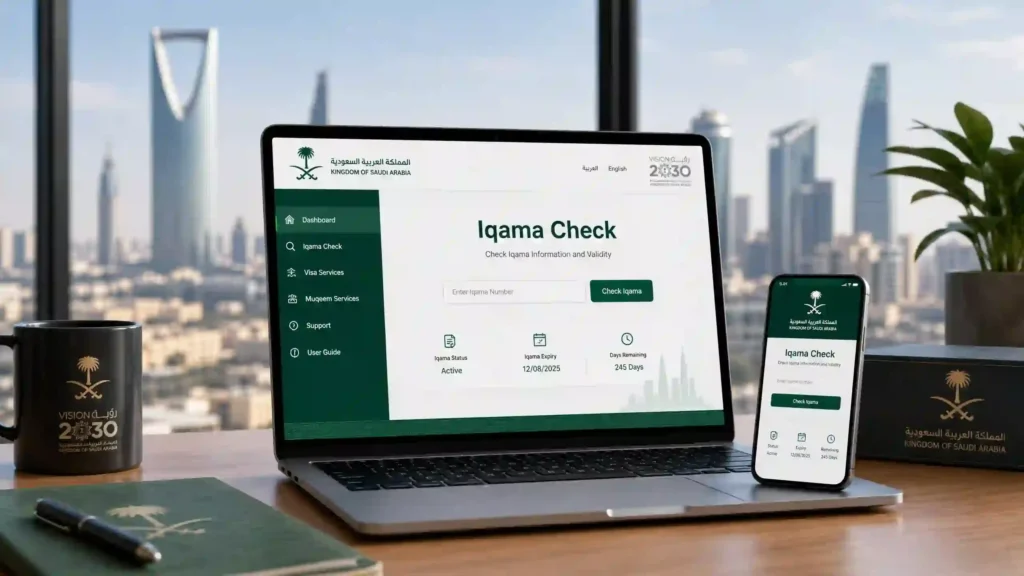
What You Can Check
| What you want to know | What it means | Where to look |
|---|---|---|
| Status | The current condition of your resident ID record | Absher or Tawakkalna, after login. What is shown depends on the service. |
| Validity | Whether the iqama is still valid today | Absher. Employers see their staff records in their own establishment account. |
| Expiry date | The date your current iqama ends | Absher. See our iqama expiry check guide for penalties. |
| Employer or sponsor | Who the record is linked to | Your employer, or our check sponsor name by iqama number guide |
| Work permit | A separate record from the iqama | Our work permit expiry check guide |
| Red or green status | An employer’s Saudization category, not a personal iqama status | Our Iqama status check (red, green and Nitaqat) guide |
How to Check Your Iqama Online With Absher
Absher is the Ministry of Interior’s platform for individuals. Menu names and screens can change, so follow what the official site shows. The usual order is:
- Open the official Absher site or app and check the domain before you type anything.
- Choose the individuals login and sign in with your activated Absher account.
- Open the services or inquiries section.
- Look for the resident ID (iqama) service.
- Review the result shown on the screen.
We could not confirm the exact menu names or the fields each screen shows, so treat these steps as a general outline and stop if a screen asks for more than you expect.
How to Check an Iqama Without Absher
There is no confirmed public, no-login lookup, so “without Absher” usually means one of these:
- Tawakkalna. Residents register with their ID number and date of birth, using the mobile number registered in Absher. If you have no Absher account, a user who is already registered in Tawakkalna can verify your mobile number first, according to the Tawakkalna FAQ. Which documents the app shows depends on the entity that issues them, so check inside the app.
- Your employer. Establishments manage staff records through Muqeem. Ask HR or the person who handles your government paperwork. Individuals cannot log in to Muqeem.
- Avoid third-party lookup sites. Sites that claim to check any iqama from a number alone are not government services. Do not enter your iqama number, passport details or phone number on them.
Iqama Number, Passport Number or Border Number
Iqama check by iqama number
Your iqama number is the number on your resident ID, usually 10 digits starting with 2. It identifies you in official services, which you reach through your own login.
Iqama check by passport number
We have not confirmed any official way to check an iqama by passport number alone. Official portals ask for ID numbers and a login, so be cautious of any page that asks only for passport details.
Iqama check by border number
A border number is issued on entry, before an iqama exists. It is used for visit visas, for example on the Visa Validity Portal guide, not for checking an iqama.
Status, Validity and Expiry: What Is the Difference?
Status is the current condition of the record, validity is whether the iqama is still valid today, and expiry is the date it ends. For related questions we have separate guides: Iqama status check (red, green and Nitaqat), iqama expiry check, iqama renewal online and dependent iqama renewal.
Common Problems When Checking an Iqama
- Login fails. Confirm the Absher account is activated and that the mobile number is registered on it. Use the official reset options.
- You do not know the iqama number. Check your resident ID or ask your employer.
- The record does not appear or looks outdated. Ask your employer, and check again later through the official service.
- Your iqama is lost. See what to do if you lose your iqama.
- Your iqama is expired or close to it. See iqama renewal online and iqama expiry check.
- You are really looking for a visa. See our exit re-entry visa check and Visa Validity Portal guide.
Frequently Asked Questions
How do I check my iqama online?
Log in to your Absher account as an individual and open the resident ID (iqama) service, or sign in to the Tawakkalna app if you can register there. Both need a login. Screens and menu names can change, so follow the official instructions on the day.
Can I check an iqama without Absher?
We have not found an official public lookup that works without logging in. Without Absher, the usual options are Tawakkalna, if you can register, or asking your employer, who manages staff records through Muqeem. Per the Tawakkalna FAQ, a user who is already registered in Tawakkalna can verify the mobile number of someone who has no Absher account.
Can I check someone else’s iqama by number?
Official channels are built around your own account or your employer’s establishment account. Websites that offer to check any iqama from a number alone are not government services, so do not enter your iqama number, passport details or phone number on them.
What is the difference between iqama status, validity and expiry?
Status is the current condition of the record. Validity is whether the iqama is still valid today. Expiry is the date it ends. The red and green colours people search for describe an employer’s Saudization category, not a personal iqama status.
Does an iqama check show my work permit or sponsor?
Not necessarily. The work permit and employer details are separate records. See our guides to work permit expiry check and check sponsor name by iqama number, and confirm anything important with your employer or the official service.
Why does my iqama number or login not work?
Common causes are a mistyped number, an Absher account that has not been activated, or a mobile number that is not registered on the account. Check the number on your resident ID or ask your employer, and use the official reset options instead of third-party tools.
How do I check my iqama expiry date?
Use your Absher account, or see our iqama expiry check guide, which also covers late-renewal penalties. Fines and rules change, so confirm current figures on an official source.
What should I do if my iqama is expired or close to expiry?
Renewal is normally arranged through the employer or sponsor, so start with them. Our iqama renewal online guide explains the process, and dependent iqama renewal covers family members.
About This Guide
This guide is independent and is not affiliated with Absher, the Ministry of Interior, Muqeem or Tawakkalna. It was last reviewed on 12 October 2026. To report a correction, email muqeemsa.com@gmail.com.